
count returns the size of a segment. search returns matching people with the identity masked. Neither deducts contact credits; permissions, quotas and rate limits still apply.
npx argorant count "fintech CFOs in germany"
npx argorant count --keywords logistics --country "United States" --seniority vp
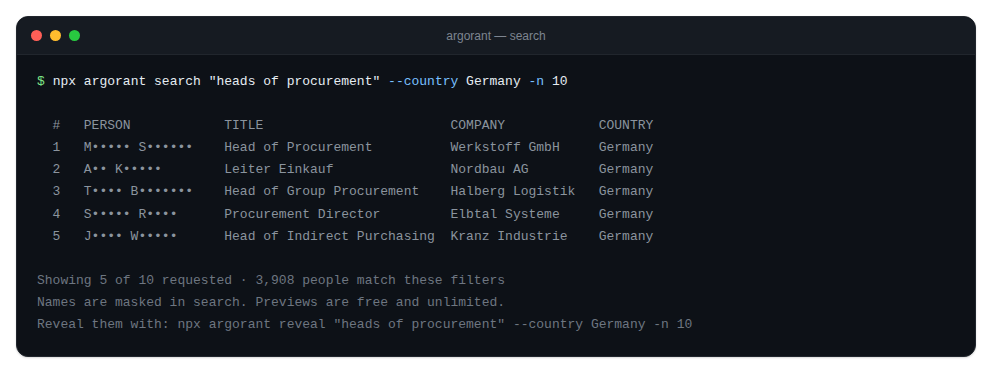
npx argorant search "heads of procurement" --country Germany -n 10
How to read the output
countprints one number: how many contacts match right now.searchprints the total, how many rows it is showing, and one line per person with a masked identity, title, company and country.
Add --json to either for machine-readable output. Agents should always use it: field names are stable, the human formatting is not.
Narrowing well
Free text goes in as a positional argument. Structured filters are more predictable. --keywords is the widest and most reliable door, with comma meaning OR, and it generally beats --industry. --country and --geography are the same filter and accept regions such as Europe, EMEA, DACH, Nordics, APAC, LATAM and GCC.
If a count looks too small, widen one filter at a time and re-run. Ten iterations cost exactly nothing.
One known gap
--exclude-title is fully applied by export and list create, but not yet on count, search and reveal. The CLI prints a note to stderr rather than pretending it narrowed anything.