
Small exports finish while you watch. Large ones take longer, because every address in the file is verified as the export is created rather than being served from a static store. That work is real, and it is the reason your bounce rate stays low.
Large exports process in the background, so you do not have to sit on the page:
- Select your contacts and create the export.
- Leave the page, close the tab, keep working. The job continues.
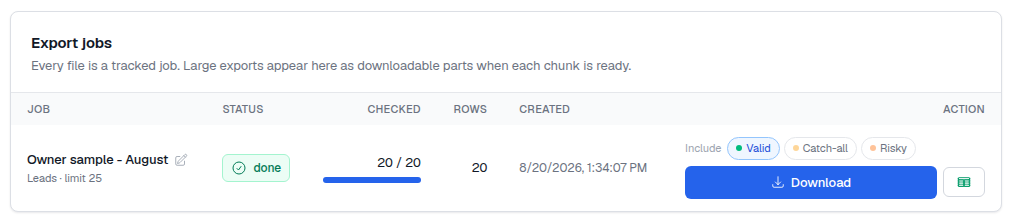
- Come back to Exports, where the job appears with its status.
- Download the CSV when it shows as complete.
Two practical notes. Plan the export before the sending day rather than an hour into it, so a long-running job never becomes the thing your campaign waits on. And if you are exporting a very large segment that will be sent over several weeks, consider exporting in slices timed to your sending schedule instead of one enormous file, because each slice is then verified close to the moment it is actually mailed.
Agents and scripts can do the same thing without the UI: an export can be created through the API or the CLI and its status polled until the file is ready.