
If you are writing the runtime yourself, you have three ways in. Pick by how your agent executes, not by preference.
- MCP at
https://mcp.argorant.com/mcp: best when your framework already speaks MCP and you want OAuth sign-in instead of key handling. - REST at
https://app.argorant.com/api/mcp/...with a bearer key: best for servers, cron jobs and anything headless. - CLI (
npx argorant): best when the agent can shell out and you want files on disk plus machine-readable exit codes.
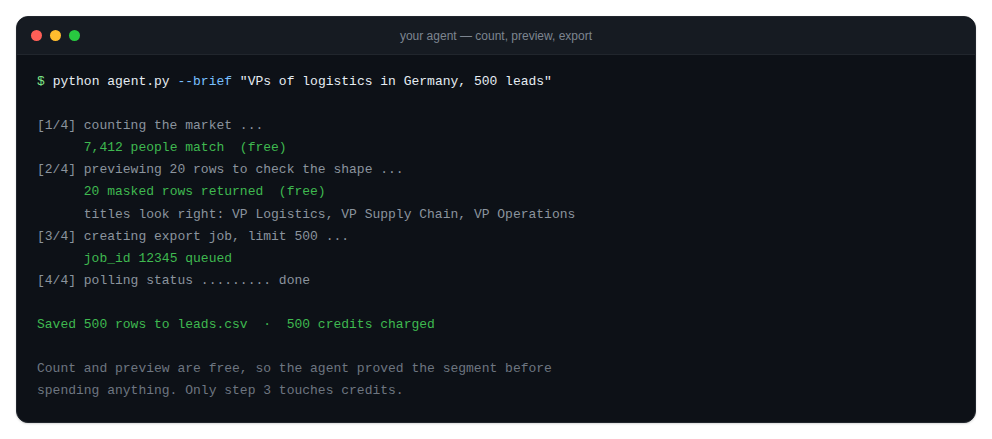
A loop that behaves
- Call
GET /api/mcp/accountonce at startup to confirm the key, its scopes and the daily quota. - Translate the user's request into filters and call
GET /api/mcp/people/count. Free, so iterate here. - Show a redacted preview with
GET /api/mcp/people/previewand let the human confirm the shape. - Only then reveal or create an export, with an explicit row limit.
- Handle the four failure codes deliberately: 401, 402, 403 and 429 each mean something different.
Use --json on every CLI call inside an agent, or read the JSON bodies straight from REST. Both give stable field names. The AI reference at argorant.com/ai is written to be pasted into an agent's context.