
Argorant enforces the hard boundary: credit checks and rate limits are server-side, so a misbehaving agent can never spend more than your balance. Everything above that line is your instructions. Here is what to write.
Rules to paste into an agent's instructions
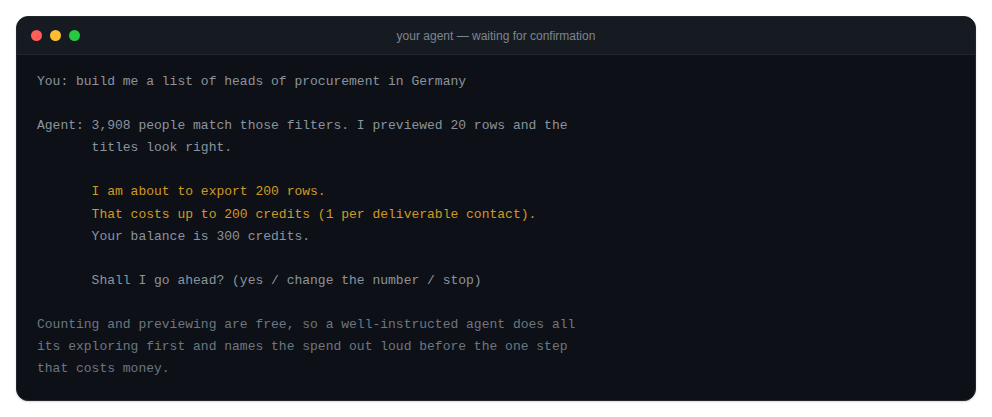
- Explore with counts and previews only. Neither deducts contact credits; respect account permissions, quotas and rate limits while refining filters.
- Before any reveal or export, state the exact row limit and the estimated credit cost, then wait for an explicit go.
- Never raise a row limit on your own after a result comes back smaller than expected. Report and ask.
- Never retry a payment error. Surface the top-up link and stop.
- Use
--jsonon every CLI call so output is parsed, not guessed at. - Prefer one export over many reveals when the list is larger than a couple of dozen rows.
Structural guardrails, in order of strength
- Scope the key. A key without spending scopes returns 403 on reveal and export. This cannot be argued around by a prompt.
- Cap the balance. A prepaid wallet is a hard ceiling on any unsupervised run. The agent spends what is there and no more.
- Separate the agents. One key for research, one for the human-approved spending step.
- Instruct. The weakest layer, and the only one many teams use.
The trap to know about
The CLI's confirmation prompt only appears for a human at a terminal. Inside an agent loop, a pipe or CI there is no prompt and reveal, export and verify --file spend immediately. Design as if the prompt does not exist, because for your agent it does not.
Every spend is logged and visible in your account, so a surprise is always explainable after the fact.