
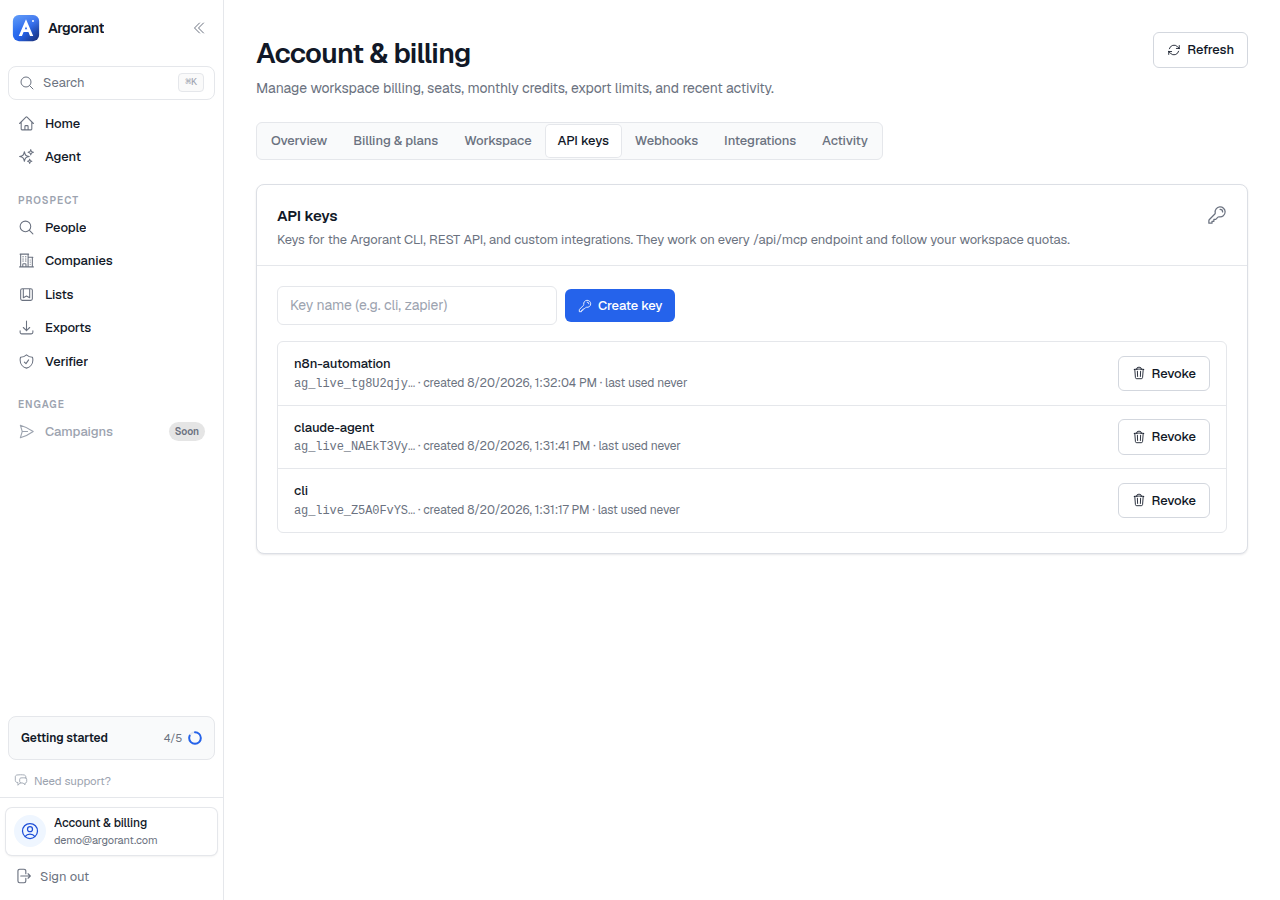
Keys start with ag_live_ and are shown once at creation. That is the whole security model: what you do with the string afterwards decides how safe it is.
The rules that matter
- One key per agent or integration. Usage stays attributable, and killing one agent never breaks another.
- Never paste a key into a shared chat. Chat histories are copied, exported and screenshotted. If you did, rotate it now.
- Put keys in the environment, not in files you commit.
ARGORANT_API_KEYis read by the CLI and takes precedence over anything saved on disk. - Leave spending scopes off read-only agents. A research agent that physically cannot export is better than one you trust not to.
Rotating
- Create the new key under Profile, API keys.
- Deploy it to the agent's environment and restart the agent.
- Confirm with
npx argorant whoamior a call toGET /api/mcp/account. - Revoke the old key. Revocation is immediate: the next request using it fails with 401.
A rotation cadence worth keeping
- Rotate whenever someone with access leaves.
- Rotate whenever an agent is retired, rather than leaving a live key on a dead machine.
- Rotate on a fixed schedule for long-running production agents, so an unnoticed leak has a shelf life.
If a key is lost rather than leaked, the answer is the same: revoke and re-create. There is no way to display an existing key again, by design.