
In the bottom left corner of the app sits a small getting-started card. It tracks the five steps that turn a new account into a sending one, and it ticks them off as you go.
- Confirm your email address, which is what unlocks the free start.
- Find your market: run a search and save a list, so you can see how many people fit before spending anything.
- Connect a mailbox: a Google Workspace or Microsoft 365 account you send from. Warm-up starts on its own.
- Launch a campaign: enroll the list, write the emails, pick the senders, set the hours.
- Connect your AI, if you want Claude, ChatGPT or Codex to do the same for you.
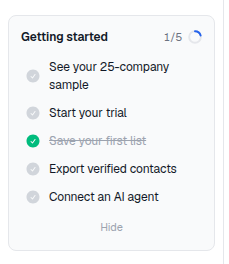
Click the card to expand it, click a step to jump straight to the page that completes it. It collapses out of the way when you are working and does not block anything on the page.
None of the steps are mandatory and there is no penalty for skipping the card entirely. If you would rather have that in prose, the first-week checklist covers the same ground with more context.