
The sidebar is the whole product, in the order you use it: find the people, then reach them.
- Home (
/home): what needs you today, your credits and campaign emails, and the getting-started steps. - People (
/search) and Companies (/companies): describe who you sell to and read the live count. Counts and masked previews are free. - Lists (
/lists): saved segments. A list stores your filter set, so re-opening it reflects today's market, and a list is what you enroll into a campaign. - Exports (
/exports): every verified CSV you created, with status and download links, when you need the contacts outside Argorant. - Email verifier (
/verify): check addresses you already have, one at a time or from a CSV, at half a credit per fresh check. - AI connections (
/ai-connections): connect Claude, ChatGPT, Codex, Cursor or your own agent, and create API keys. - Inboxes (
/inboxes): your Google Workspace and Microsoft 365 mailboxes, their warm-up, daily limits and reputation. - Campaigns (
/campaigns): every sequence you run, with its numbers, folders and the campaign builder. - Unibox (
/master-inbox): every reply across every campaign, classified, with the thread and your answer in one place. - Analytics (
/campaigns/dashboard): sends, replies, bounces and reply rate over time.
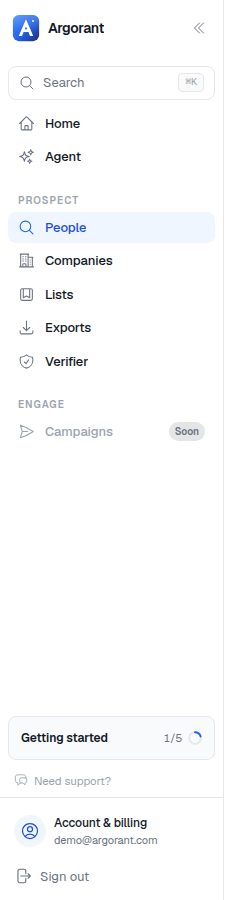
Two shortcuts sit outside the sidebar: Cmd-K opens the global search from anywhere, and the getting-started card in the bottom left tracks your first five steps. Settings (workspace, team, sending defaults, tags, integrations and API, billing) live behind your name at the bottom.