
Settings is where you change things that apply to you or to your whole workspace: your profile, the app language, the team, billing, keys, connections and the block list. Everything else, such as a campaign's sending window or a mailbox's daily limit, is set on that campaign or mailbox.
Open Settings
- Click your name at the bottom of the sidebar and pick Settings. You can also press Cmd-K (Ctrl-K on Windows) and type Settings.
- The app sidebar makes room for the settings menu. Click a section on the left to open it. The page title shows the section's name and a one-line summary.
- Click Back next to the logo to return to the page you came from.
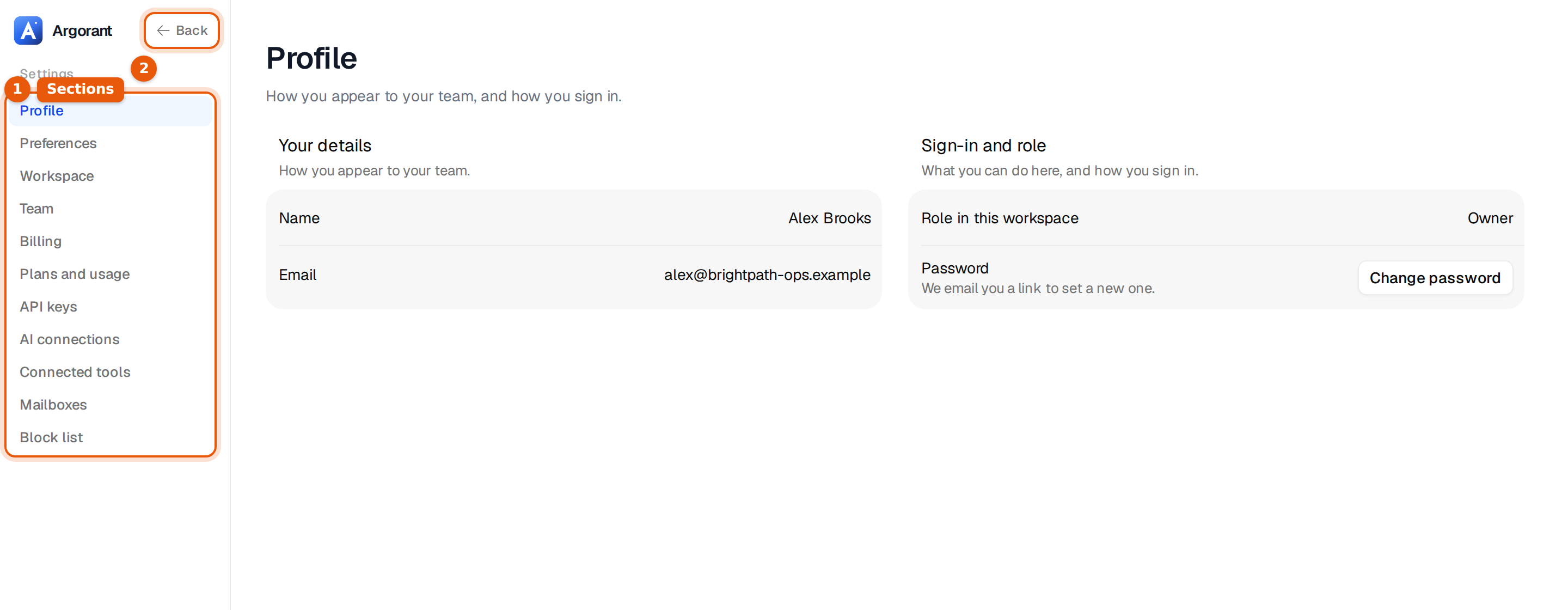
Each section has its own address, for example app.argorant.com/settings?section=team. You can bookmark it or send it to a teammate. On a phone the sections show as a row of buttons above the page instead.
Every section
| Section | What you can do there |
|---|---|
| Profile | See your name, email and role. Change your password with an email link. |
| Preferences | Choose the app language: English or Deutsch. |
| Workspace | Name and logo, plan and credits at a glance, tags, reply labels and the danger zone. |
| Team | Invite teammates, set roles and see seats. |
| Billing | Payment method, invoices, and what your AI may buy for you. |
| Plans and usage | Your plan, credits, campaign emails, what costs credits, and plan changes. |
| API keys | Create and revoke keys, and set up webhooks. |
| AI connections | The AI apps connected to your account. |
| Connected tools | CRMs, sheets and sending tools for your exports. |
| Mailboxes | Shortcuts to your mailboxes and to ordering new ones. |
| Block list | People and companies you never want to contact. |
What is yours and what is shared
Profile and Preferences are about you. Your language choice does not change anything for your teammates. Every other section belongs to the workspace and is the same for everyone on the team: one plan, one pool of credits, one set of tags and labels, one block list.
Who can change what
| Role | In Settings |
|---|---|
| Owner | Everything, including billing, API keys, the logo, the workspace name and closing the workspace. |
| Manager | Invites and removes teammates, plus everything a member can do. |
| Member | Sees the workspace settings and uses the shared tags, labels and block list. The name and logo show as Set by the workspace owner. |
Your own role shows under Profile, in Role in this workspace. See Team, roles and seats.
Where to find common tasks
| You want to | Go to |
|---|---|
| Change your password | Profile, then Change password. We email you a link. |
| Switch the app to German | Preferences. See Change the app language. |
| Add a colleague | Team, then Invite a teammate. |
| Upgrade or buy credits | Plans and usage. |
| Download an invoice | Billing. |
| Stop contacting a company | Block list. |
| Turn on more reply labels | Workspace, then More labels. |
| Sign out on every device | Workspace, then Danger zone. |
Old links to Settings still work. A link to a section that moved, such as billing or tags, opens the section that now holds it.