
Argorant speaks English and German. The language you pick applies to the app and to the emails we send you, such as sign-in links and account notices. It is your own setting. Your teammates keep theirs.
Switch the language
- Open Settings, then Preferences.
- Under Language, click English or Deutsch.
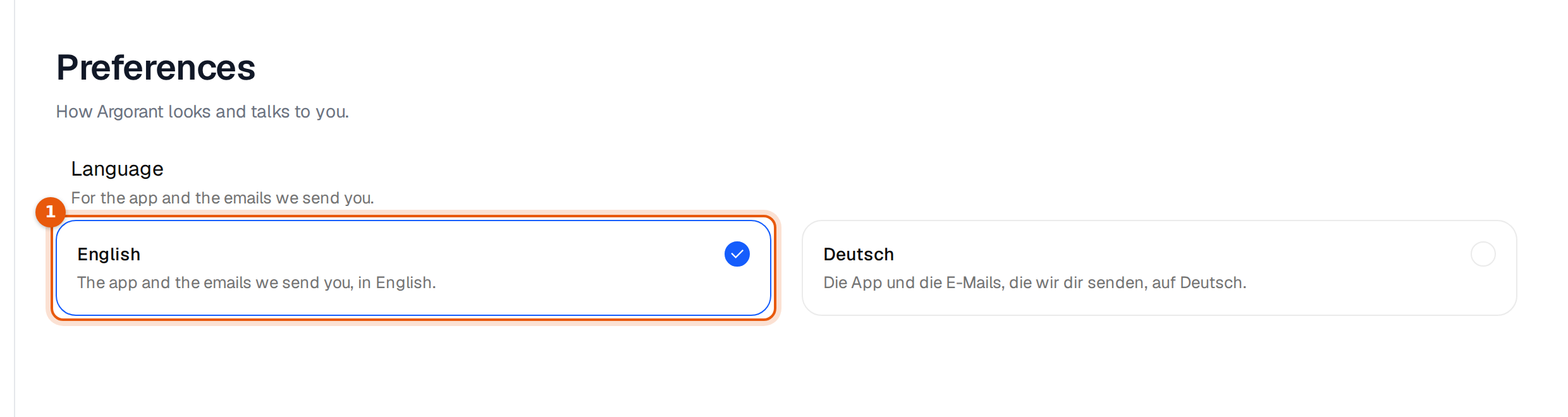
The page reloads in the new language right away, and the check mark moves to your choice. Argorant also saves the choice on your account, so the emails we send you come in that language too.
What changes and what does not
| Changes | Stays as it is |
|---|---|
| Every menu, button and message in the app | Your campaign emails. They go out exactly as you wrote them. |
| Emails Argorant sends you, such as sign-in links | Replies in the Unibox. They show as the person wrote them. |
| Date and number formats in the app | Names of your lists, campaigns, tags and own labels. |
The standard reply labels show in your language, for example Interested becomes Interessiert. Labels you created yourself keep the name you gave them.
Help in German
The help center is also available in German at help.argorant.com/de. Articles name the buttons the way the app shows them in that language.
If the language does not stick
- Reload the page once. If you use the app in several tabs, the other tabs switch when you reload them.
- On a new device or browser, pick the language once more under Preferences if the app opens in the other one.