
Most lists are not ruined by the people they miss, they are ruined by the people they include. Title exclusions are the fastest fix. You keep your broad, high-recall title search and then subtract the variants that are never your buyer.
- Build the search normally, with your positive titles in the title field.
- Open the exclusion field and add the titles to remove, comma-separated.
- Watch the count drop, then preview the remaining matches to confirm you cut the right slice.
Typical exclusions that pay for themselves immediately:
- Support roles around your buyer: assistant, executive assistant, intern, trainee, apprentice.
- Adjacent functions that share a keyword: if you search
Salesand do not sell to individual reps, exclude sales representative and sales assistant. - Advisory and interim variants, where your offer needs a permanent budget owner: consultant, advisor, freelance.
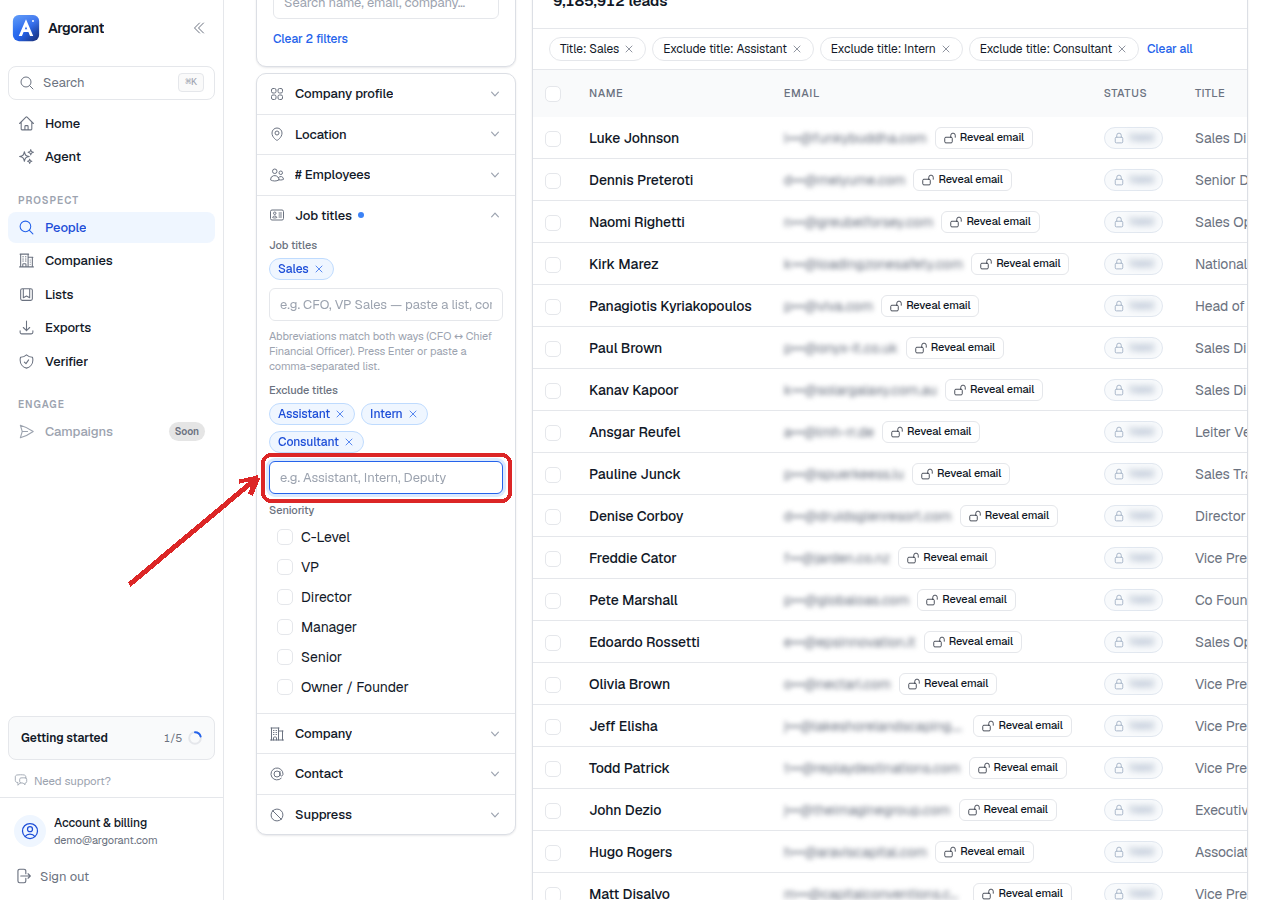
Exclusions are subtractive and apply after your positive matches, so an exclusion can only ever shrink a count. If your list is already too small, remove exclusions before you loosen anything else, since they are the cheapest thing to give back.
One habit worth keeping: write your exclusion set once per segment and reuse it across every list for that segment, so quality does not depend on remembering.