
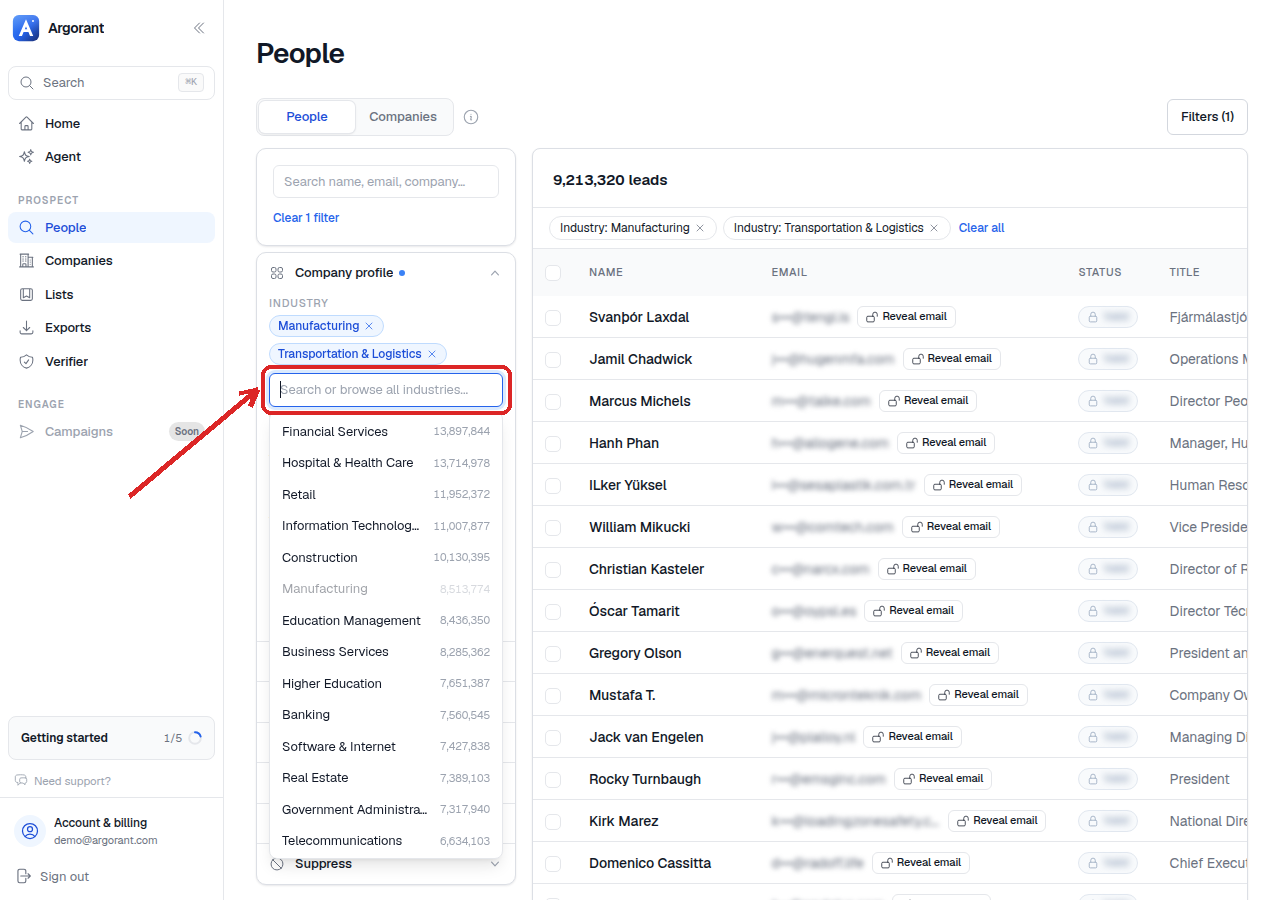
The industry filter is usually the first thing you set, because it decides the shape of everything after it. Argorant uses standardized industry labels, so you pick from a list instead of typing free text and hoping for a match.
- Open People search.
- Start typing in the industry field and pick from the suggestions.
- Add a second and third industry if your buyers sit in adjacent markets. Several industries are combined as any of these, so the count grows with each one you add.
- Watch the live count while you do it. Counts are free and unlimited on every tier, so there is no cost to experimenting.
Two habits keep industry work clean. First, resist the urge to select ten industries at once: a broad selection makes the count look healthy while quietly filling your list with companies you would never mail. Second, if the label you want does not exist or feels too coarse for your niche, do not force it. That is what the keyword filter is for, and combining one broad industry with a precise keyword usually beats stacking five narrow industries.
When you have a shape that works, save it as a list so the same industry set is one click away next time.