
argorant campaigns drives live outbound campaigns end to end from the terminal: create, set copy, attach inboxes, add leads, start. It talks to a different, internal surface than every other command.
Who can use it
Only an ag_live_ key that belongs to an owner or admin account and carries the operator scope. A normal customer key gets a 401 or 403, exactly like a browser session without outbound access would. That is the system working correctly, not a bug to report.
The shape, for context
npx argorant campaigns create --name "Q3 CFO outreach" --timezone America/New_York \
  --window 08:00-17:00 --skip-weekends
npx argorant campaigns steps set "Q3 CFO outreach" --step 1 \
  --subject "Quick question" --body-file ./copy/step1.txt --approve
npx argorant campaigns inboxes attach "Q3 CFO outreach" --count 5
npx argorant campaigns leads add "Q3 CFO outreach" --csv leads.csv
npx argorant campaigns start "Q3 CFO outreach"
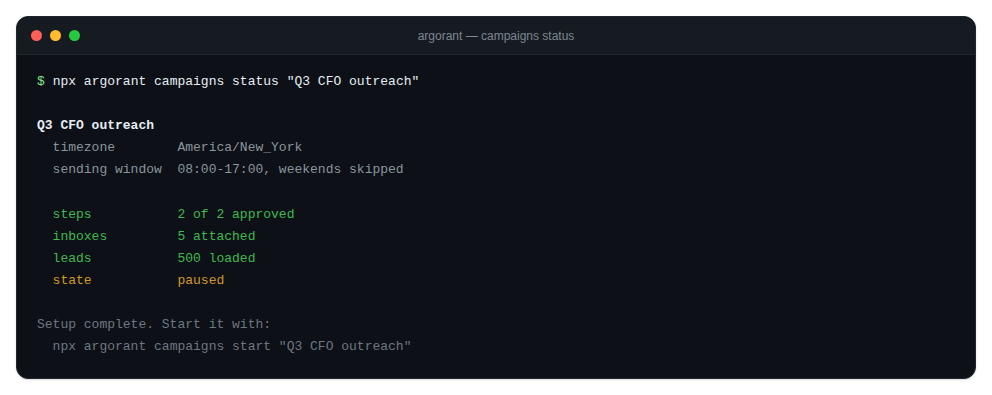
campaigns listshows name, status, contacted, replies and reply rate.campaigns statusreports setup completeness and any launch blockers.campaigns pausestops sending without discarding the campaign.- A campaign is addressed by id or by an unambiguous case-insensitive name prefix. An ambiguous prefix lists the matches instead of guessing.
The CLI never writes campaign copy for you. Subject lines and bodies come from you, by file or by argument.
If you are a normal Argorant customer, the commands you want are export and the integrations that push a finished list into your own sequencer.