
argorant company answers the account-level question: is this company reachable at all, and who works there?
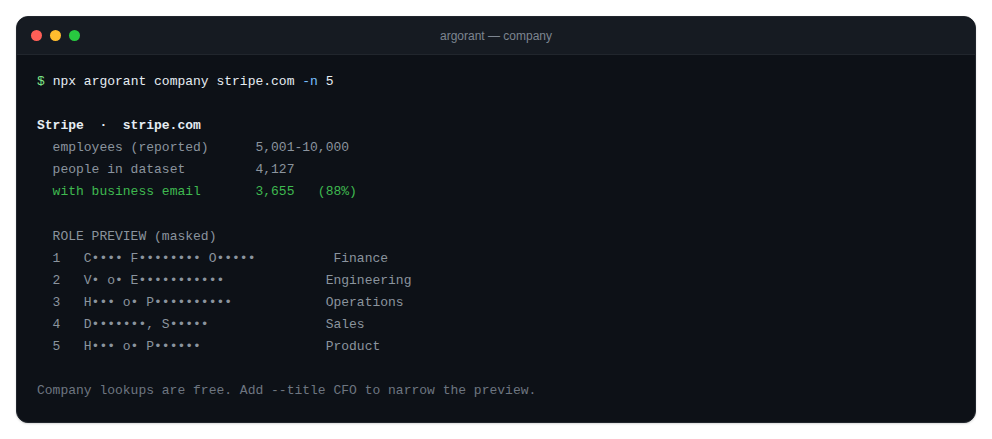
npx argorant company stripe.com -n 5
npx argorant company stripe.com --title CFO --json
What it prints
- The company name and domain.
- How many people at that company are in the dataset.
- How many of them have business-email coverage. This is the number that predicts whether a campaign against this account is viable.
- The company-reported employee estimate where available.
- A masked role preview, up to your
-nlimit.
Optional narrowing: --title, --seniority, --department and --country.
Why it matters for agents
Given a target account list, an agent can loop this command per domain and score reachability before a single credit is spent. Accounts with no business-email coverage get dropped early instead of turning into an export that half-delivers.
The URL is normalized for you, so https://www.stripe.com/pricing and stripe.com behave the same. A value without a dot is rejected with a usage hint rather than being sent as a broken query.
The command is free, like every other exploration surface.