
export creates a verified export, polls it until ready and writes the CSV for you.
npx argorant export "fintech CFOs" --country Germany -n 1000 -o leads.csvWhat happens under the hood
- The output path is checked as writable before the job is created, so a bad path can never bill you for a file you cannot save.
- You are asked to confirm, unless you passed
-yor--jsonor stdin is not a terminal. - The job is created, then polled. Verification runs at this moment and only deliverable rows are billed.
- The CSV is downloaded to your
-opath. Row count is printed.
Recovery
A paid export is never unrecoverable. If the CLI dies after the job was created, it prints the exact recovery command:
npx argorant export status 12345
npx argorant export download 12345 -o leads.csv
Both are free.
Large exports
Above 50,000 rows the job becomes a multi-chunk batch. The CLI polls the batch and writes one file per chunk: leads-part1.csv, leads-part2.csv and so on. The batch id is printed so you can fetch it again later:
npx argorant export status 987 --batch
npx argorant export download 987 --batch -o leads.csv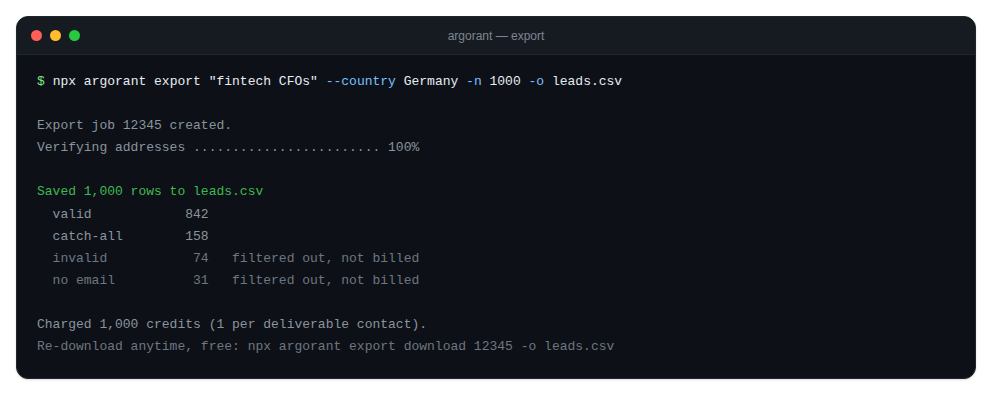
Two defaults worth knowing
has_emaildefaults to true, so exported rows carry an address.- Contacts you already exported are skipped. Pass
--include-exportedif you want them back.