
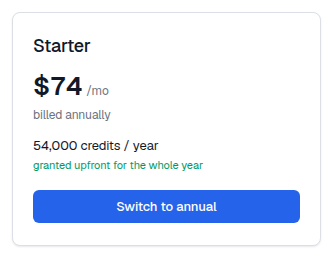
The cycle toggle at the top of the plan section does double duty. When you are already subscribed, the card for your current plan on the other cycle shows a 'Switch to annual' or 'Switch to monthly' button instead of 'Choose'.
- Open Profile → Billing.
- Flip the toggle between Annual and Monthly.
- On your current plan's card, click the Switch button.
- Complete checkout. Stripe prorates whatever you already paid.
Monthly to annual works at any time and is the common direction: you take the saving of about 20 percent, the unused part of the current month is credited, and the full year of credits is granted upfront.
Annual to monthly is different. An annual plan is a twelve-month commitment paid in advance, so you cannot break it mid-term. While an annual plan is active, the monthly cards are disabled and read 'On annual plan'. The switch happens at renewal instead. The rule is enforced on the server as well as in the interface, so an API call cannot bypass it either.
You can still change tier while staying annual. Starter annual to Pro annual is an ordinary prorated upgrade.