
Upgrades are designed to be usable mid-campaign, so nothing waits for a billing date.
- Open Profile → Billing.
- Make sure the cycle toggle shows the billing cycle you want.
- Click 'Choose' on the target plan card: Pro, Scale or Hyperscale.
- Complete the Stripe checkout.
Two things happen at once. You are charged only the prorated difference between what you already paid and the new plan for the remainder of the current period. And the credit difference is granted immediately, so an export that was blocked a minute ago can run now.
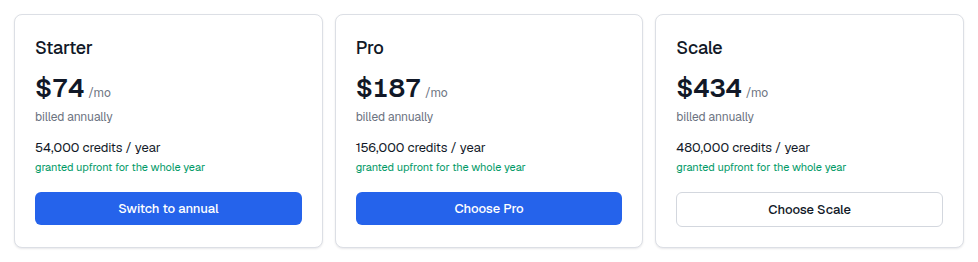
The prorated charge appears in Billing history with a 'prorated' label next to the amount, which is why the number rarely equals the plan's list price. That is expected.
Upgrading also raises your API rate limit and your campaign email allowance right away, from 30 to 120 or 600 requests per minute and from 100,000 to 300,000, 600,000 or 1,000,000 emails. If an agent was throttled, no restart is needed.