
Argorant covers 202 countries, with the deepest coverage in Europe and North America. The country filter accepts multiple selections, and countries are combined as any of these, so each additional country adds to the count.
- In People search, open the location filter.
- Type a country name and select it. Repeat for every market you sell into.
- Check the count per country by selecting one at a time before combining them, so you know which markets actually carry your volume.
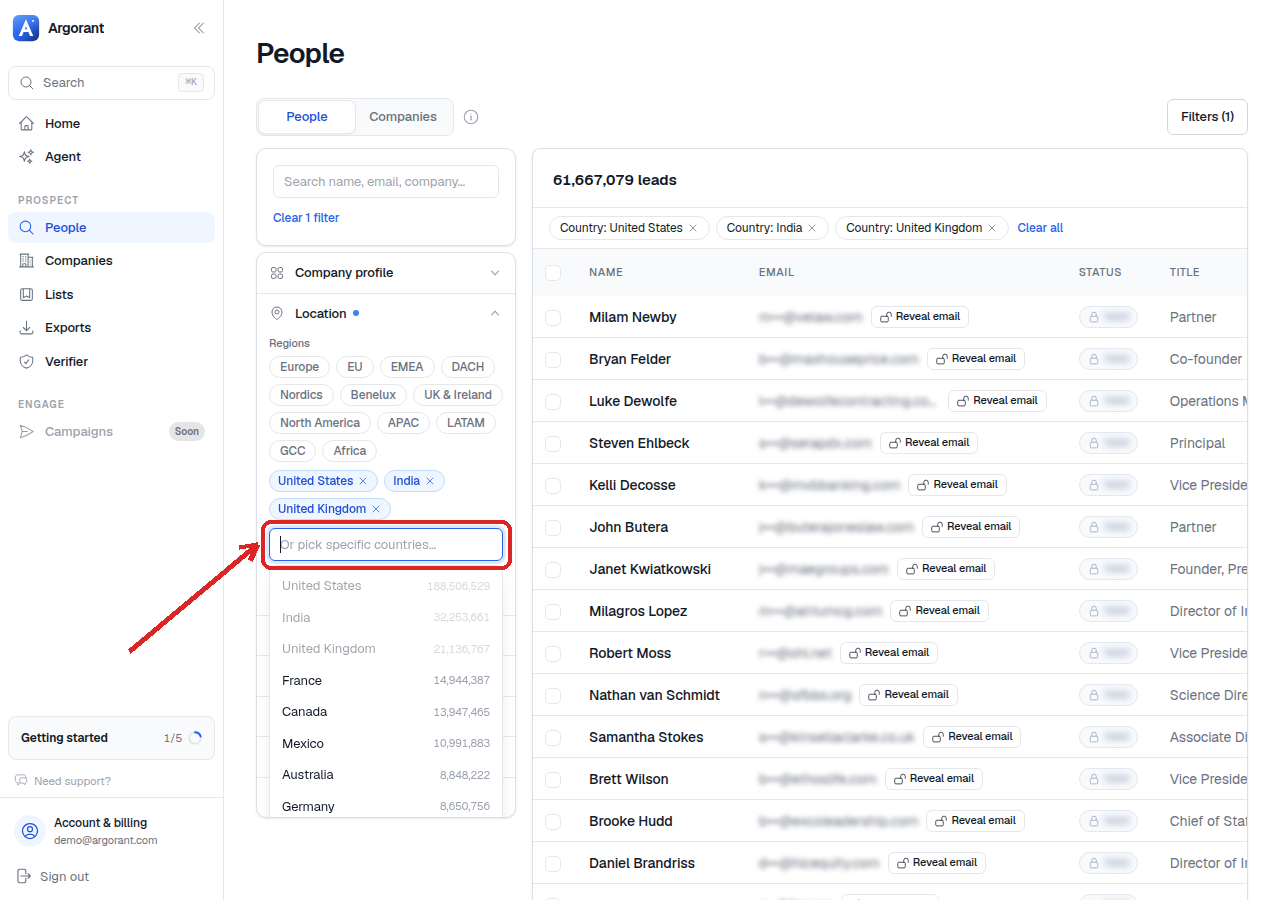
Running one country at a time first is worth the extra minute. It tells you where your addressable market really sits, and it stops one dominant market from hiding the fact that three others are nearly empty. That single number often decides which market a team enters next.
For outbound, split countries into separate lists whenever language, regulation or send-time differ. A DACH list and a UK list may share every other filter, but they need different copy and different sending windows, and keeping them separate makes reply rates comparable.
If you work in blocks of countries rather than single markets, use the region shortcuts instead of selecting countries one by one.