
Every search shows matching people in redacted form before anything is revealed. Previews are free on every tier and there is no limit on how many you look at.
A preview is not a teaser, it is a quality control instrument. What you can read in it is enough to judge whether your filters found the right population: the role, the kind of company, the size, the location. What is withheld is the personal identifying detail and the work email, which is exactly the part you pay for when you reveal.
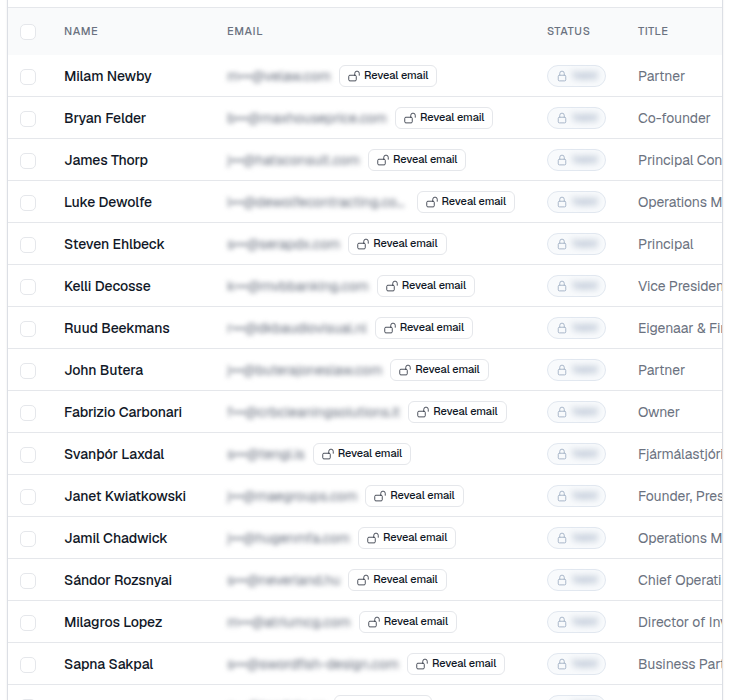
Use previews like this:
- Set your filters and read the count.
- Scroll through at least twenty preview rows, not two. The first few rows of any list look fine.
- Ask one question per row: would I actually send this person an email? If more than a couple of rows fail, the filter set is wrong, not the data.
- Fix the filter that is causing the misses, then preview again.
Teams that skip this step tend to discover the problem after they have paid to reveal a few hundred contacts. Teams that make it a habit spend credits almost entirely on people they mail. The whole check costs nothing but a minute of attention.