
The Argorant CLI is a small command line tool for your terminal. It does what the app does (count a market, preview people, reveal contacts, build checked CSV files, check your own addresses, manage lists, exports and webhooks) and it works the same for you at a keyboard, in a script, in CI and inside a coding agent like Claude Code or Codex.
What you need
- Node.js 16 or newer, which comes with
npx. Check withnode --version. - An Argorant API key that starts with
ag_live_. Create one under Settings, then API keys.
There is nothing to install. npx downloads the package the first time and runs the latest version:
npx argorant helpIf you use it every day, install it once with npm install -g argorant and type argorant instead of npx argorant.
Sign in once

- Create a key in Settings and click Copy.
- Run
npx argorant loginand paste the key when it asks. The key is not shown while you paste. - The CLI checks the key and prints Logged in as with your email. The key is saved in
~/.argorant/config.json, readable only by your user. - Run
npx argorant whoamito see your account, the key's permissions and today's limits.
For scripts and CI, skip the login and set the key in the environment. It always wins over a saved key:
export ARGORANT_API_KEY=ag_live_xxxxxxxxxxxxxxxxxxxxxxxx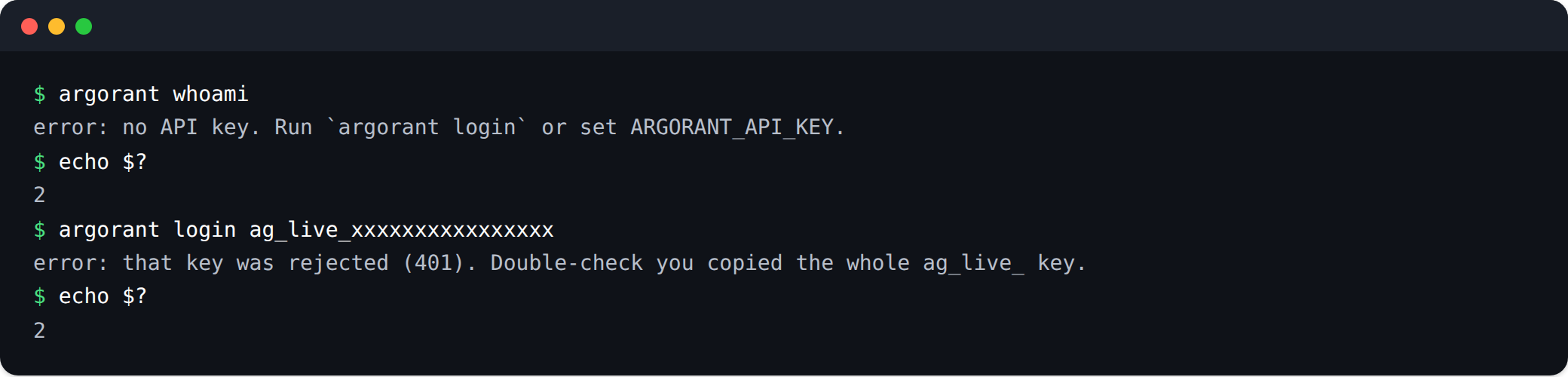
Your first commands
Start free. Counting and previewing never use credits:
npx argorant count "fintech CFOs in germany"
npx argorant count --title CFO --country Germany --employees-min 50
npx argorant search --title "head of procurement" --country Germany -n 10
npx argorant company stripe.com
When the size and the preview look right, spend credits on purpose:
npx argorant reveal --title CFO --country Germany -n 25
npx argorant export --title CFO --country Germany -n 500 -o cfos.csv
export creates the file on our side, waits until it is ready and saves it to the path you gave. If your connection drops, nothing is lost. Get the file again with npx argorant export download <job_id> -o cfos.csv, which is free.
The command families
| Commands | What they do | Cost |
|---|---|---|
login, logout, whoami, account | Save or forget the key, show the account, plan, credits and limits | Free |
count, search, company | Size a market, preview people with details hidden, look at one company | Free |
companies count | search | people | Companies that match your filters | Free |
lookup industries | countries | keywords | technologies | titles | The exact labels to use in filters | Free |
reveal | Full contact details (name, work email, LinkedIn) | 1 credit per new working email |
export, export status, export download | A checked CSV file, and getting it again later | 1 credit per working email, re-downloads free |
lists, list create, list status | Saved lists: create, show, rename, delete, export | Free, exporting costs credits |
verify | Check addresses you already have, one or a whole file | Half a credit per address |
find | A person's work email from a name and a company domain | 1 credit found, 0.25 credit not found |
webhooks | Events sent to your own server | Free, Pro plan and up |
campaigns, inbox, inboxes | Email campaigns, replies and mailboxes | Campaigns need a plan |
Phone numbers are never included unless you add --phones to reveal, enrich or export. A number costs 10 credits, only when one is returned, and phone numbers come with the Pro plan and up.
Filters
Every command that takes filters uses the same flags, with the same meaning as in the app: --title, --country, --industry, --keywords, --seniority, --department, --domain, --employees, --revenue, --city, --state and more. Each has an exclude twin, like --exclude-title. A comma means any of them. Run npx argorant filters for every filter and its values.
Options you will use
| Option | What it does |
|---|---|
-n, --limit | The most rows. Always set it before a command that spends. |
-o, --output | Where the CSV file goes. |
--json | Raw JSON output for scripts. It also skips the confirmation question. |
-y, --yes | Skip the confirmation question. |
--phones | Add phone numbers (10 credits per number found). |
--idempotency-key | Your own key for a write, so running the command again replays the first answer. |
Exit codes
| Code | Meaning |
|---|---|
0 | Success |
1 | Error: wrong usage, network problem, a job that failed, or nothing found by find or enrich |
2 | Not signed in, or the key was rejected |
3 | The key lacks the permission for this action |
4 | Rate limit or daily limit reached |
5 | Out of credits or the plan does not include this; the message has the link to fix it |
Common mistakes
- No prompt in a script.
reveal,export,lists export,verify --fileandfindonly ask for confirmation at a real terminal without--yesor--json. In a pipe, in CI or in an agent they spend at once. Set-nfirst. - Logged out, still signed in.
logoutremoves the saved key, butARGORANT_API_KEYin your environment still works. Unset it too. - A typo in a number.
-n 5OOstops with an error instead of using the default. That is on purpose. - Exit code 5 in a pipeline. The account needs credits or a plan. It is not a bug, so do not retry in a loop.
Limits
The CLI uses the same limits as the REST API, per key. Search, counts and masked previews do not deduct credits. Account permissions and rate limits still apply.
What happens next
Everything the CLI creates appears in the app: lists under Lists, files under Exports, spend in your balance. For the safety model and scripting with agents, read The CLI: install, shape and safety model. The full reference with every flag is at docs.argorant.com/docs/guides/cli.