
Use the OAuth MCP connection when your client supports custom remote MCP servers. Otherwise use the CLI from a Node/npm-enabled terminal, or REST from an authorized HTTP environment. Pasting a personal key into a chat does not create a connection or bypass the client's restrictions.
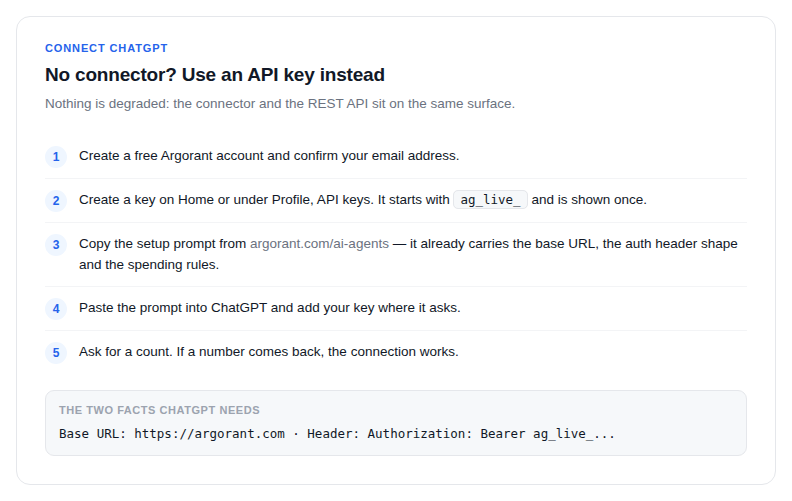
- Create a free Argorant account and confirm your email address.
- Open Home or Profile, API keys, and create a key. It starts with
ag_live_and is shown once. - Copy the setup prompt from argorant.com/ai-agents. It already contains the base URL, the auth header shape and the spending rules.
- Use the prompt in a runtime with authorized HTTP tools or a terminal. Store the key in that runtime's secret or environment configuration; do not publish it in shared chat.
- Request an account check and then a count through the configured tool. Confirm a real API response; an answer from model memory is not a connection test.
The two facts ChatGPT needs
- Base URL:
https://app.argorant.com, endpoints under/api/mcp/... - Auth header:
Authorization: Bearer ag_live_...
A shared chat is not a safe place for a long-lived key. Mint one key per use, and revoke it under Profile, API keys the moment the work is done. Revocation is immediate: the next request fails with 401.
New accounts get a 14-day trial after email confirmation: 100 credits and 300 campaign emails, no card and no automatic subscription; when it ends, campaigns pause and unused trial credits expire until a plan or pay-as-you-go credits are added. The app, REST API, CLI and MCP share the same account and balance; connecting another client or creating an API key does not add a second grant. Existing balances and subscriptions are unchanged.