
Variants are different versions of the same email. Each person gets one of them. Use them to test a new subject line, a shorter body or a different question at the end, and keep the one that works.
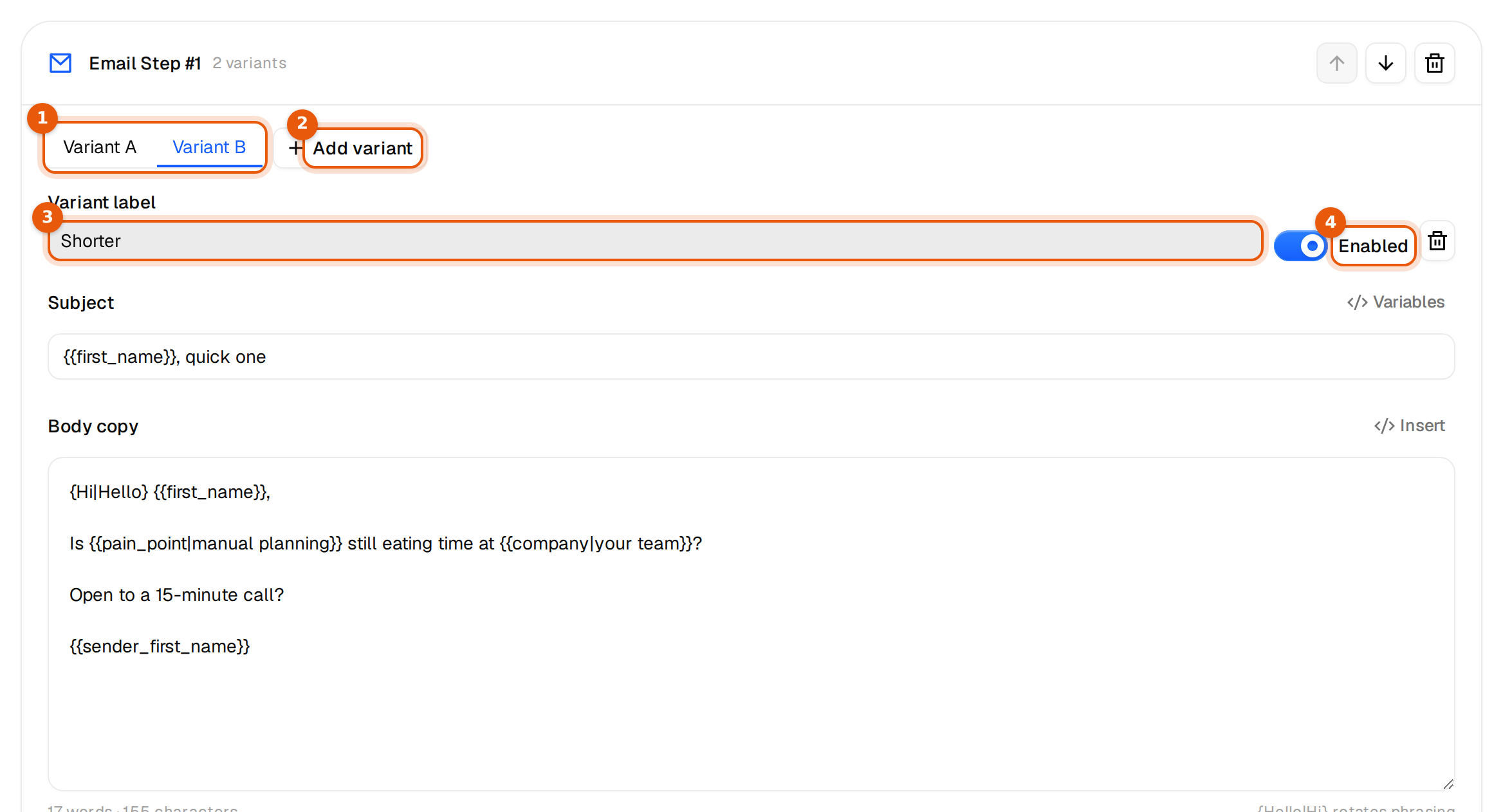
Add a variant
- Open the campaign's Emails tab and click the email you want to test.
- Click Add variant. A new tab, Variant B, opens next to Variant A, which is your main copy.
- Type a Variant label so you recognize it later, for example Shorter or Question first.
- Write a different subject, a different body, or both. A field you leave blank reuses the one from Variant A.
- Click Save. The card now reads 2 variants.
Add more with Add variant: Variant C, D and so on, up to 20 versions per email, Variant A plus 19 more. The bin next to the Enabled switch removes a variant. A variant that ends up exactly like Variant A is dropped when you save, since it would test nothing.
Every control on a variant
| Control | What it does |
|---|---|
| Variant A, B, C tabs | Switch between the versions. The text fields below always show the tab you picked. |
| Variant label | A name for you. Recipients never see it. It shows in the preview as Variant B · Shorter. |
| Enabled | On means the variant gets sends. Off pauses it without deleting it. Variant A has its own Enabled switch as soon as a second variant exists. |
| Bin | Removes the variant after the next save. |
How sends are split
- Sends rotate evenly across every enabled variant. With A and B on, about half get each.
- Turn Enabled off to stop sending a variant. People who already got it keep their version.
- If every variant is off, all of them rotate, so the email never stops by accident.
- Variants work on every email in the sequence, including follow-ups and subsequence emails.
- A follow-up in the same thread keeps the subject that person got in the first email, so a subject test carries through the whole thread.
Preview each variant
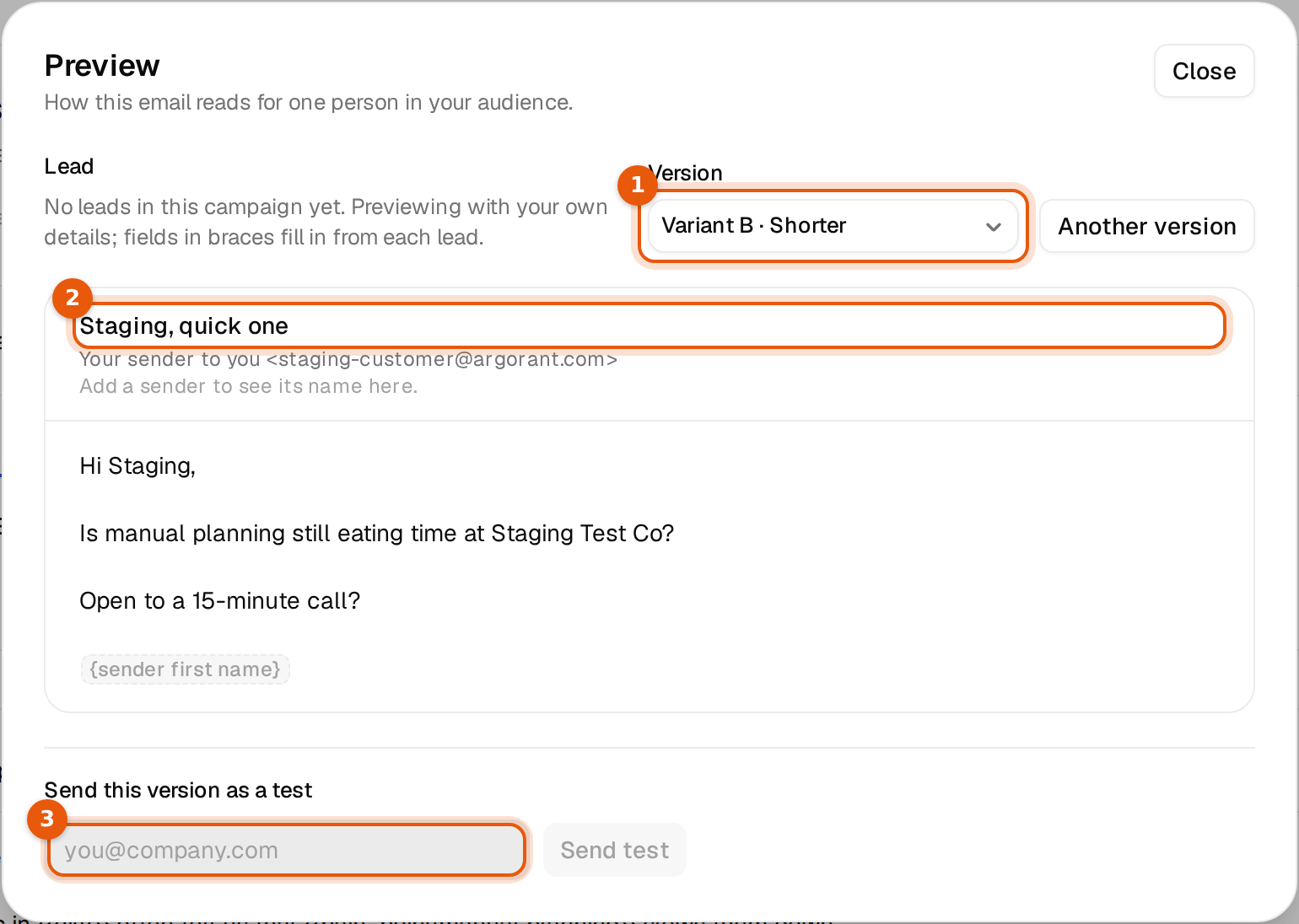
Click View preview. With more than one variant, a Version list appears. Variants that are switched off are marked (off). Pick each version, read it with a real lead, and send yourself a test.
Run a fair test
- Change one thing per test, such as the subject, the first line or the question. Otherwise you will not know what made the difference.
- Give each variant a few hundred sends before you decide. Ten replies against eight is luck, not a result.
- Then switch off the weaker one and test the next idea against the winner.
The campaign page does not show replies per variant today, and Argorant does not pick a winner for you. Read the replies in the Unibox: each thread shows the email the person got, which is easiest to tell apart when the variants differ in the subject.
Variants and spintax work together. A variant can contain spintax and variables like any other email. See Vary your wording with spintax.