
Spintax lets one email come out in slightly different words for different people. Write the options in single curly braces, separated by a bar. Each send picks one option at random.
{Hi|Hello|Hey} {{first_name}},This sends Hi Anna, to one person, Hello Tom, to the next and Hey Priya, to another. Hundreds of emails that are word for word the same look like a bulk mailing. Small changes in the greeting, the opening line and the question make each one read more like a personal note.
Add spintax
- Open the campaign's Emails tab and click into the subject or the body.
- Type the options in single braces with a bar between them, for example
{Quick question|Idea}. - Or click Insert next to the body and pick Spintax · Hello / Hi. It adds
{Hello|Hi}at the cursor, ready to edit. - Click Save.
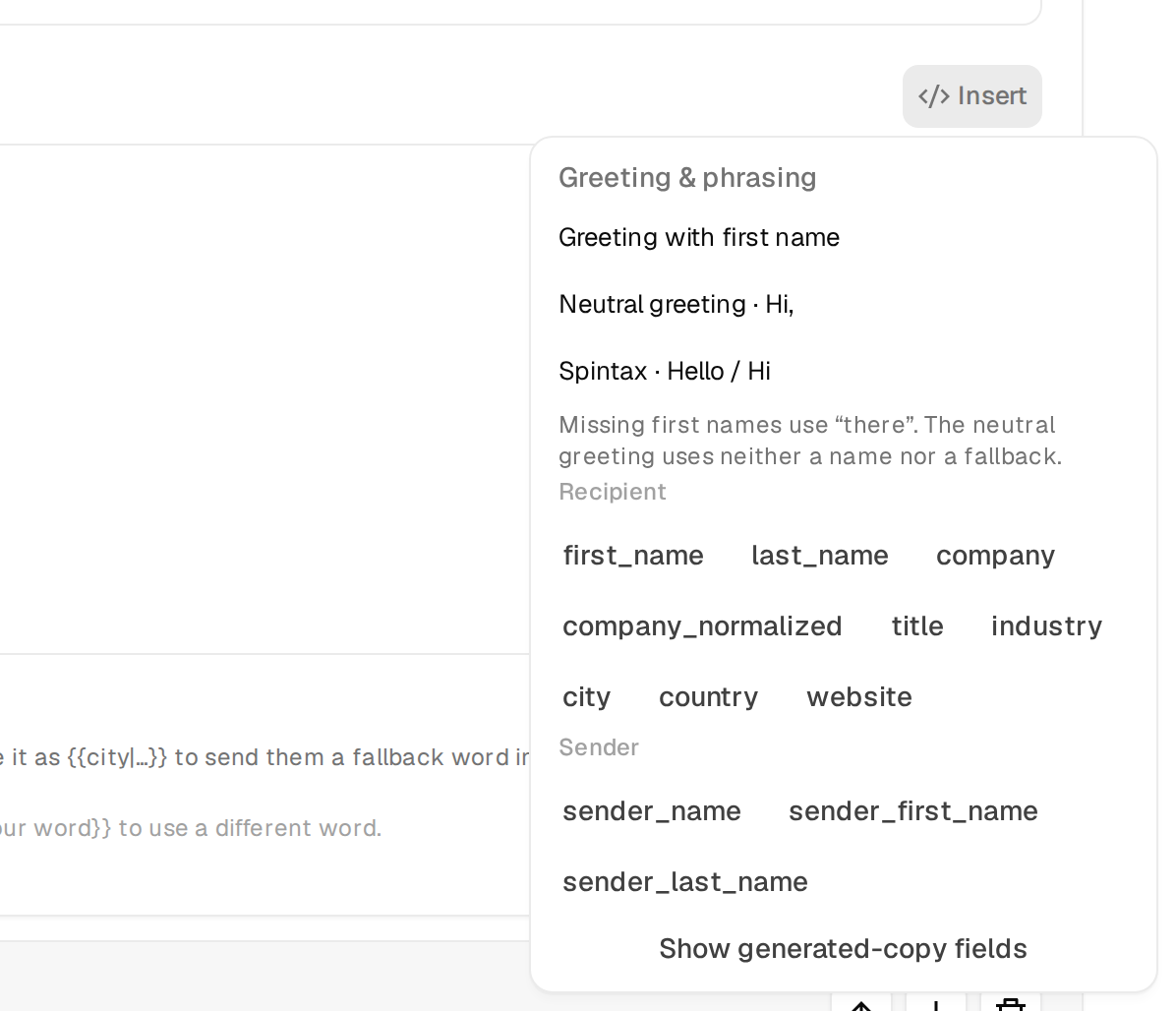
The hint {Hello|Hi} rotates phrasing under every body is there as a reminder of the format.
Where it works
- In the subject and the body.
- In every email, follow-up, variant and subsequence.
- With variables inside the options, as in
{Hi {{first_name}}|Hello there}. - Nested, with one option inside another, as in
{Quick {question|thought}|Idea}. - Around whole sentences, as in
{Worth a short call next week?|Open to a quick chat next week?}.
Check every version
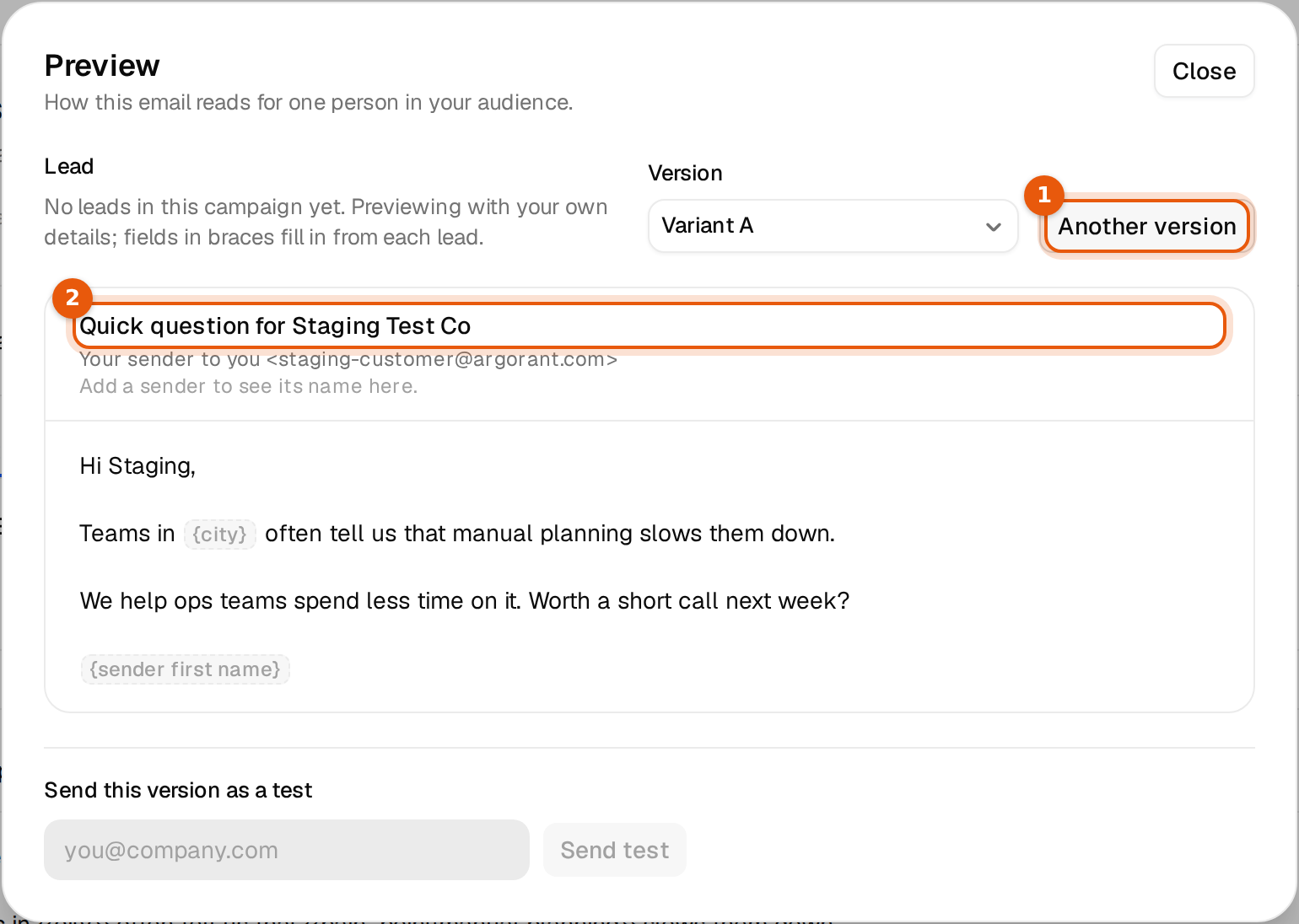
- Click View preview above the editor.
- Click Another version a few times. Each click shows a new random pick of every spintax group.
- Read each version as the person would. Every option has to fit the sentence on its own.
- Send yourself a test of a version you like with Send test. Your campaign does not start.
More on the preview in Preview and send a test email.
Rules
- Single braces for spintax, double braces for variables.
- At least two options. A single word in braces, such as
{word}, would be sent with its braces, so the campaign page flags it as text that would go out as written. - Every opening brace needs a closing one. A stray
{or}is flagged too. - Keep the options about the same length and tone. A formal and a very casual option in one email reads odd.
Spintax or variants?
| Spintax | Variants | |
|---|---|---|
| What changes | Words or sentences inside one email | The whole email, subject and body |
| How a version is picked | At random for each send | Evenly across all enabled variants |
| Good for | Making sends less alike | Testing two different ideas against each other |
They work together: a variant can contain spintax like any other email. See A/B test with variants.