
A variable is a name in double curly braces, such as {{first_name}}. When the email goes out, Argorant replaces it with that contact's value. Variables work in the subject and the body of every email, follow-up and subsequence.
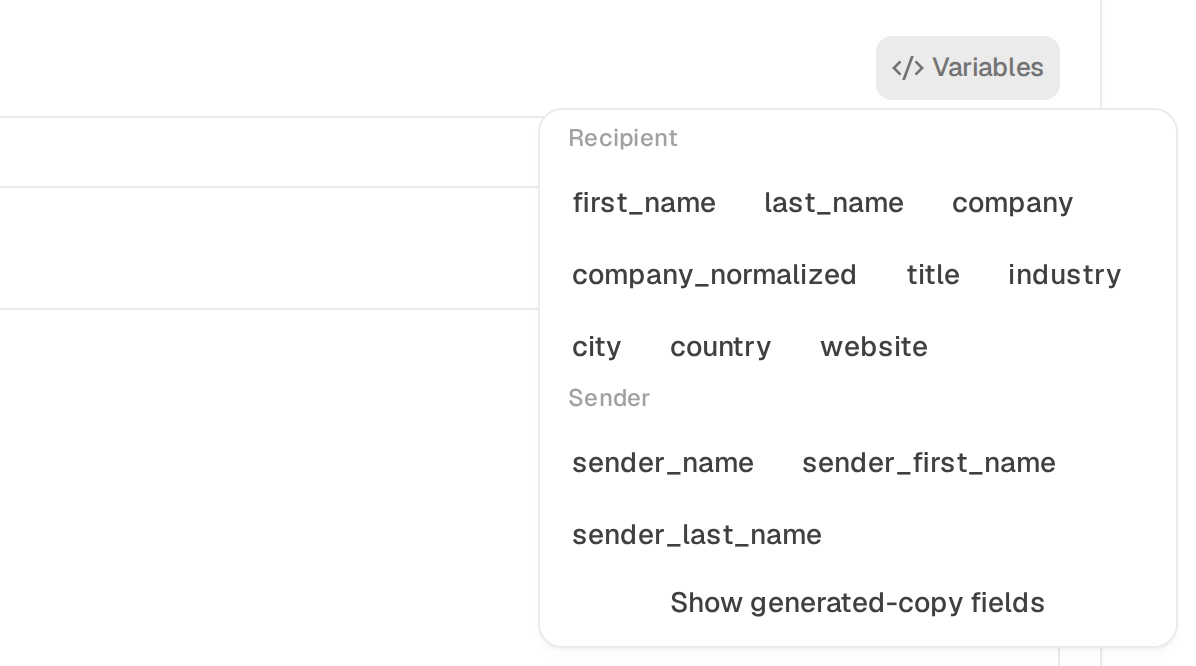
You never have to type a variable by hand. In the sequence editor, Variables next to the subject and Insert next to the body list them, and a click puts the one you pick at the cursor.
How to write them
- Put two curly braces on each side, as in
{{company}}. Spaces inside are fine, so{{ company }}works too. - Names use letters, numbers and underscores only.
- Names are case-sensitive.
{{company}}works,{{Company}}does not. The one exception is{{first_name}}, which works in any case. - Single braces are not variables.
{a|b}is spintax. See Spintax. - Add a fallback after a bar, as in
{{company|your team}}. See Fallbacks.
Contact variables
| Variable | What it fills in | Example |
|---|---|---|
{{first_name}} | The contact's first name. If there is no usable first name, it becomes there. | Hi {{first_name}}, → Hi Anna, |
{{last_name}} | The last name. | Ms {{last_name}} → Ms Weber |
{{company}} | The company name as it is saved for the contact, legal ending included. When it is missing, the short name below is used. | Northwind Supply GmbH |
{{company_normalized}} | The short company name, without endings like GmbH, Ltd or Inc. Reads better in a sentence. People you add from Search carry it. | Northwind Supply |
{{title}} | The job title. | Head of Sales |
{{industry}} | The company's industry. | Logistics |
{{city}} | The contact's city. | Berlin |
{{state}} | The state or region. | Bavaria |
{{country}} | The country. | Germany |
{{website}} | The company website. | acme.com |
{{email}} | The contact's email address. | anna@acme.com |
Sender variables
These come from the mailbox that sends the email, so they change when sends rotate across mailboxes. Set the display name of each mailbox in Inboxes.
| Variable | What it fills in | Example |
|---|---|---|
{{sender_name}} | The full display name of the sending mailbox. | Max Weber |
{{sender_first_name}} | The first word of that name. | Max |
{{sender_last_name}} | The last word of that name. | Weber |
{{signature}} | The signature of the sending mailbox (its own, else the agent's, else the workspace default). While the signature is set to Use only in replies (the default) it stays empty in campaign emails and only replies carry it. Empty when no signature is set. | Best, Max Weber |
Your own fields
Any column you import as Custom field becomes a variable with exactly that field name. A column named pain_point becomes {{pain_point}}. There is no prefix to add. See Use your own CSV columns as variables.
Where the values come from
| How the person joined | Which variables have values |
|---|---|
| From Search or a saved list | Names, company and short company name, title, industry, city, state, country and website, as far as Argorant knows them. |
| From your CSV | The columns you mapped: email, names, company, job title, website and phone, plus every custom field. A city column only fills {{city}} if you import it as a custom field named city. |
| Over the API | The keys you send in each row: email, first_name, last_name, company, title and website, plus any extra key as its own field. |
A value that only looks like a company, such as n/a, none, unknown or self-employed, counts as missing.
A full example
Subject: {Quick question|Idea} for {{company_normalized|your team}}

{Hi|Hello} {{first_name}},

Teams in {{city|your region}} often tell us that
{{pain_point|manual work}} slows them down.

Worth a short call next week?

{{sender_first_name}}
For Anna Weber at Northwind Supply GmbH in Berlin, with the custom field pain_point set to slow carrier onboarding, sent from a mailbox named Max Weber, this becomes:
Subject: Idea for Northwind Supply

Hi Anna,

Teams in Berlin often tell us that
slow carrier onboarding slows them down.

Worth a short call next week?

Max
Check how it reads
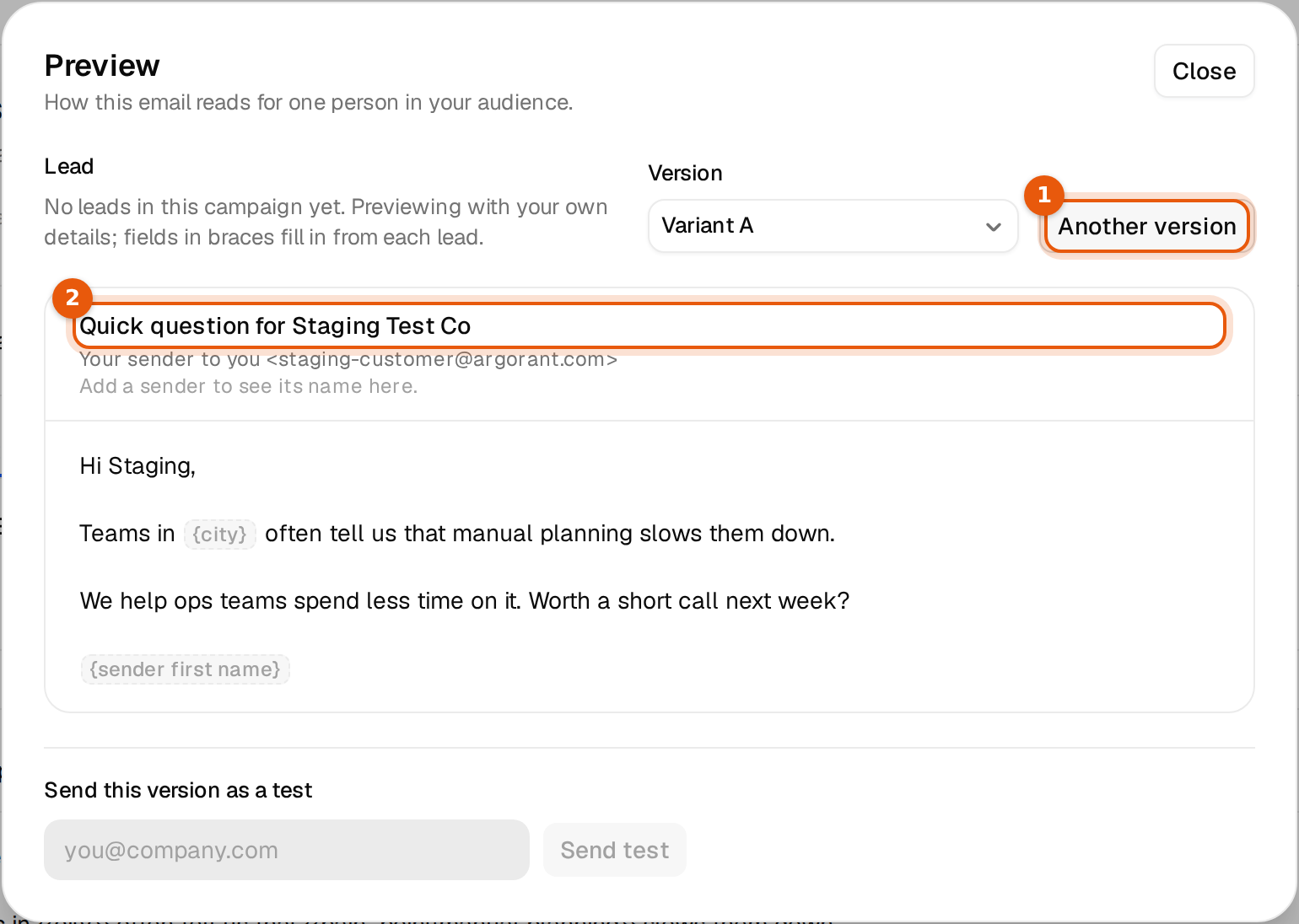
Click View preview above the editor. The preview fills every variable with the details of a lead in the campaign and lets you switch leads. Without leads yet, it uses your own details and shows the variables it cannot fill in grey braces. A line such as Not filled for this lead: city. tells you which value that person lacks.
Common mistakes
| You wrote | What happens | Write instead |
|---|---|---|
{{Company}} | Not the same name as company. Nobody has a value, so everyone waits. | {{company}} |
{{first name}} | Not a valid variable. It would be sent with its braces, so the contact is held. | {{first_name}} |
{first_name} | Single braces are spintax, not a variable. The editor flags it. | {{first_name}} |
{{city}} with no fallback | Contacts without a city wait at that email. | {{city|your area}} |
There are no date or time variables. For a signature, write {{signature}} where it should go. Each mailbox fills in its own, see Use {{signature}} in campaigns and replies.