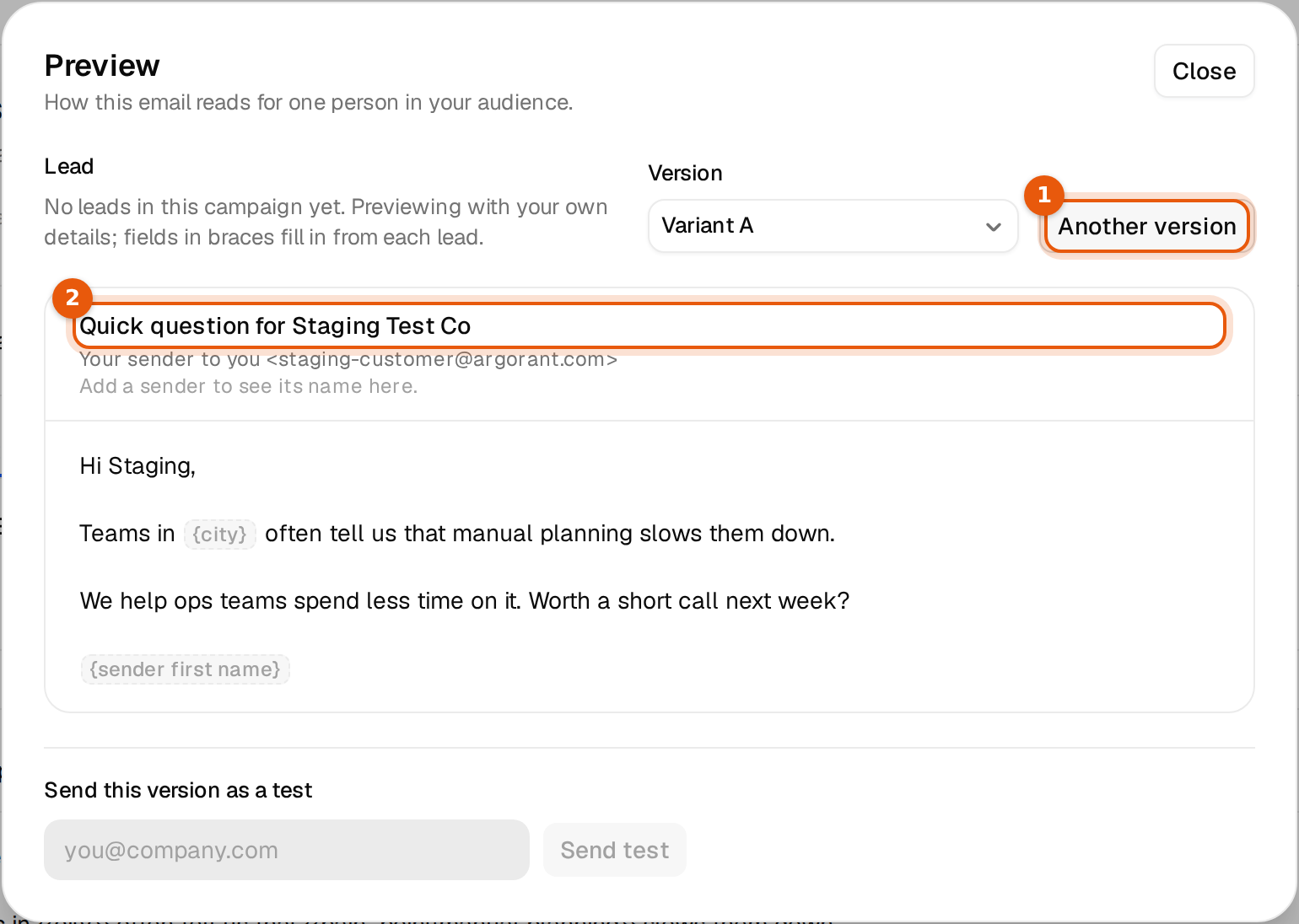
Some contacts have no city, no title or no value in one of your custom fields. Argorant never sends an email with a gap in it, like Teams in often tell us. For every variable you decide what happens instead: send a fallback word, or let the contact wait until the value exists.
Two choices for every variable
| You write | Contact has the value | Contact lacks the value |
|---|---|---|
{{city}} | Teams in Berlin often tell us | The contact waits at this email. Nothing is sent to them yet. |
{{city|your area}} | Teams in Berlin often tell us | Teams in your area often tell us |
{{title|}} | The title is used | Nothing is put in its place |
Use a fallback when the sentence still works with a general word. Leave it out when the email only makes sense with the real value, for example a calendar link or a pain point you researched.
Add a fallback
- Open the campaign's Emails tab and click into the subject or body.
- After the variable name, type a bar and the words to use when the value is missing:
{{company|your team}}. - Do the same in every email, follow-up and variant that uses that variable. Each place has its own fallback.
- Click Save.
{{company_normalized|your team}}
{{city|your area}}
{{pain_point|manual reporting}}
The rules are short.
- A fallback is plain text on one line, up to 80 characters.
- One bar only. No curly braces inside the fallback.
{{title|}}, with nothing after the bar, sends nothing in its place. Use it only where the sentence still reads well without the word.
A fallback that breaks these rules is not a valid variable, and the editor marks it as text that would go out as written.
Where the editor warns you
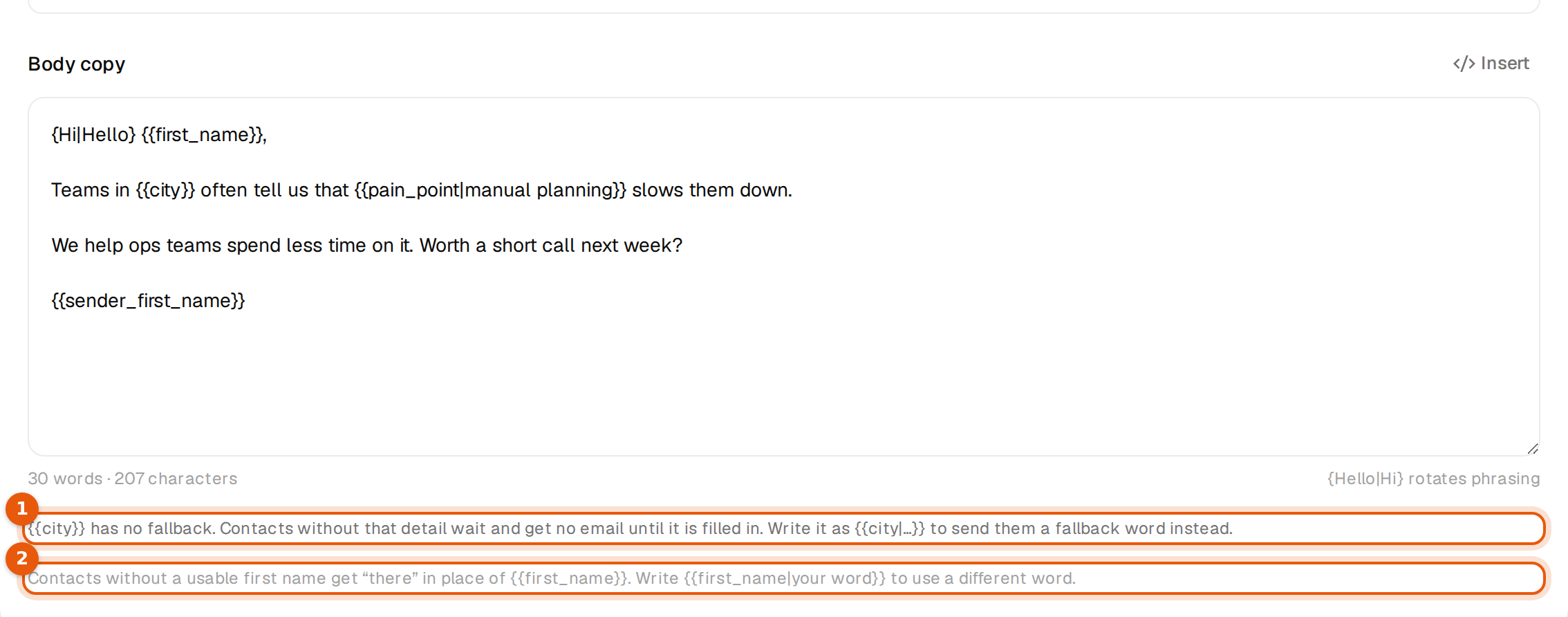
While you write, every variable without a fallback gets a note under the body:
{{city}} has no fallback. Contacts without that detail wait and get no email until it is filled in. Write it as {{city|...}} to send them a fallback word instead.
Once the campaign has leads, the campaign page counts them for you. A box above the tabs says how many contacts lack each value and how many are held right now, for example:
312 of 4,120 contacts have no value for {{city}}. They are held at email 1 and get nothing until the value exists. To send them anyway, give it a default, for example {{city|your area}}.
Click Add a default in Emails to fix the copy, or See held contacts to see who is waiting.
What a held contact looks like
On the Leads tab a held contact shows a yellow status instead of its usual one:
Held: no {{city}}
Hover over it for the full reason, such as Held at email 1: no value for {{city}}. Add the value to this contact, or give the variable a default in the email. Nothing is skipped and nothing is sent with a gap. The contact moves on by itself as soon as the value exists or the email no longer needs it. Other contacts keep going in the meantime.
When you cannot launch
If not one contact has a value for a variable without a fallback, every contact would wait at that email. Launch stays blocked and the campaign page says:
No contact has a value for {{city}} (email 1), so every contact would be held there. Remove it or give it a default, for example {{city|your area}}.
Variables that never wait
{{first_name}}always sends. Without a usable first name it becomes there, so Hi {{first_name}}, reads Hi there,. Write{{first_name|your word}}to use another word, or pick Neutral greeting in the Insert menu.{{email}}always has a value.{{company}}uses the short company name when the full name is missing. It only waits when both are missing.
Sender names
{{sender_name}}, {{sender_first_name}} and {{sender_last_name}} come from the display name of the mailbox that sends. If a mailbox has no display name, or only one word when you use {{sender_last_name}}, the contacts it would send to wait. The campaign page lists those mailboxes. Set the names in Inboxes. If every sender lacks the name, launch is blocked.
Good fallbacks
| Variable | Fallback that reads well | Example sentence |
|---|---|---|
{{company_normalized}} | your team | Idea for your team |
{{city}} | your area | Teams in your area |
{{industry}} | your industry | Most firms in your industry |
{{title}} | your role | People in your role |
{{website}} | your website | I had a look at your website |
Read the sentence once with the fallback in place. If it sounds odd, rewrite the sentence, not the fallback. View preview shows the email for any lead in the campaign, so pick one who lacks the value and check.