
When your AI runs out of credits in the middle of a task, it can buy a credit pack for you so the work does not stop. It only does that with your permission, with your saved card, and within a monthly limit you pick. Without that permission it sends you a payment link instead, and nothing is charged until you pay it yourself.
Before you start
- You need to be the workspace owner. Teammates see the setting but cannot change it.
- You change it here in the Argorant app. Your AI, the API and the command line cannot switch it on for you.
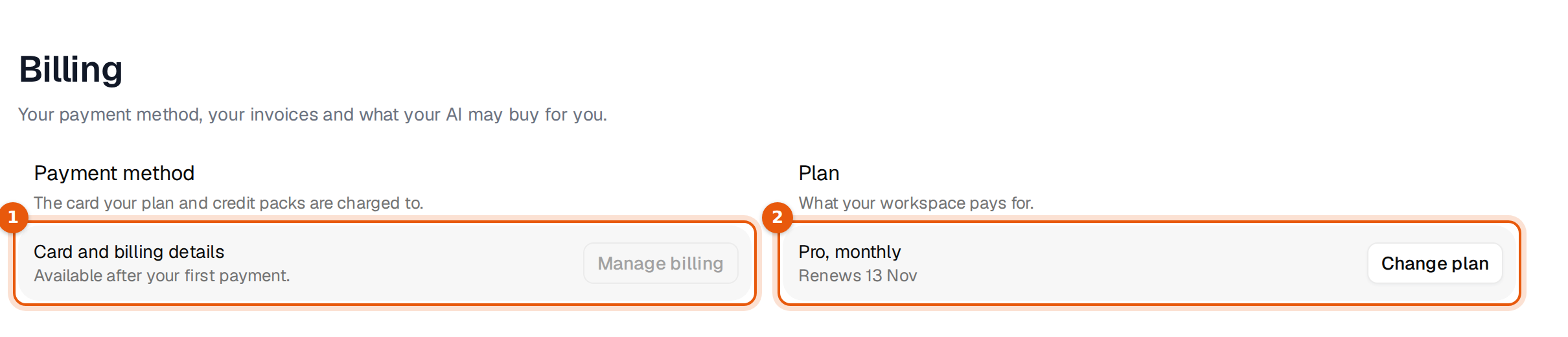
- Your card needs one real payment through our normal checkout first, for example your plan or a credit pack. Until then your AI sends payment links.
Switch it on
- Open Settings, then Billing.
- Scroll to Credit purchases by your AI, below Payment method, Plan and Invoices.
- Turn on Let my AI buy credits with my card. The line under it names the card it will use.
- Pick a Monthly spending limit.
- Click Save.
When it is saved you see:
Saved. Your AI can buy credits with your card, up to $250 a month. It asks you before every purchase.
The monthly limit
The limit is a dropdown with fixed amounts. It is set in the currency your account is billed in.
| Limit | Fits for example |
|---|---|
| $50 | One 500 credit pack ($17.50) a couple of times |
| $100 | One 5,000 credit pack ($69) |
| $250 | One 25,000 credit pack ($199). This is the amount it starts on. |
| $500 | One 100,000 credit pack ($499) |
| $1,000 | Two of the largest packs |
| $2,500 | Heavy agent use across the month |
The line under the limit shows what your AI spent this month. A purchase that would go over the limit is not charged to the card. Your AI gets a payment link for it instead.
What your AI can buy
The same one-time packs you can buy under Plans and usage: 500 credits for $17.50, 5,000 for $69, 25,000 for $199 and 100,000 for $499. They do not renew and stay valid for 365 days. Your AI cannot change your plan.
What happens when your AI runs out
- Your AI tells you it is out of credits, which pack it suggests and the price.
- It asks you. It buys only after you say yes, every time, even with the switch on.
- With the switch on and the purchase inside your limit, the saved card is charged and the credits are added at once. Your AI carries on with the task.
- Otherwise you get a payment link. You pay it in the browser, and the credits are added once the payment goes through.
A prompt you can use when you want your AI to top up on its own terms:
If you run out of Argorant credits during this task, tell me the price of the smallest pack that covers the rest,
and wait for my yes before you buy.
ChatGPT and Claude
In ChatGPT and Claude your AI always sends you a payment link, even when this is on. The switch covers your other connections, such as the Argorant API and the command line. An app we have not verified also always gets a payment link. This is the same for every account.
Common problems
| What you see | Why | What to do |
|---|---|---|
| Your AI sends a payment link although the switch is on | You are in ChatGPT or Claude, the purchase is over your limit, or your card has not paid through checkout yet | Pay the link, or raise the limit. After your first normal payment, saved card purchases work. |
| The switch is greyed out | Only the workspace owner can change it | Ask the owner. The page says: Only the workspace owner can change this. |
| The note says your saved card changed | You saved a new card after allowing purchases. Your AI only uses the card you allowed. | Click Save again to allow the new card. |
| Your teammate's AI cannot buy | Only the owner's own AI connections may use the saved card | Your teammate gets a payment link and can forward it to you. |
Switch it off
Turn the switch off and click Save. From then on:
Switched off. Your AI sends you a payment link instead, and nothing is charged until you pay it.