
Warm-up sends a small number of ordinary emails between real mailboxes every day, and some of them get a reply. To inbox providers your mailbox then looks like one people actually write with. That reputation is what gets your campaign emails into the inbox instead of the spam folder.
Off until you switch it on
Warm-up is off for every mailbox you connect yourself. Nothing warms up until you turn it on, per mailbox or for many at once. It is included with every plan. Without a plan the flame in the table stays grey and its tooltip says Warm-up is off. It comes with a plan. Mailboxes you buy from us are the exception: their warm-up is set to 10 a day and starts by itself when the 24 hours of aging end.
Switch it on for one mailbox
- In Inboxes, click the three dots at the end of the row and choose Edit sender.
- In the Warm-up section, flip the switch to On.
- Check Warm-up emails per day. It is filled with 10 and takes 1 to 10.
- Click Save sender.
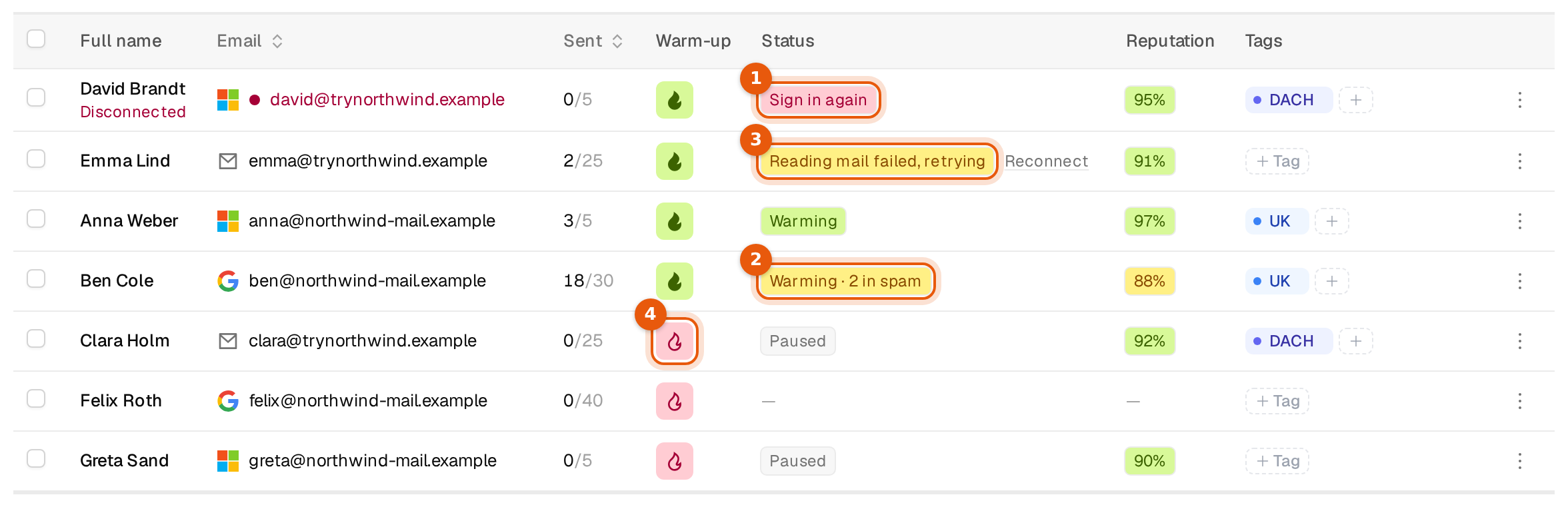
You can also click the flame in the Warm-up column. A green, filled flame means warm-up is running, a red outline means it is off or paused. One click switches it.
Switch it on for many mailboxes
- Tick the mailboxes in the table.
- Click Warm-up on in the bar at the bottom and confirm. Each mailbox starts at its last warm-up volume, or at 10 a day if it never had one.
- To set a different daily number for all of them, click Edit in the bar and fill Warm-up per day. Saving a number there also switches warm-up on.
More warm-up settings
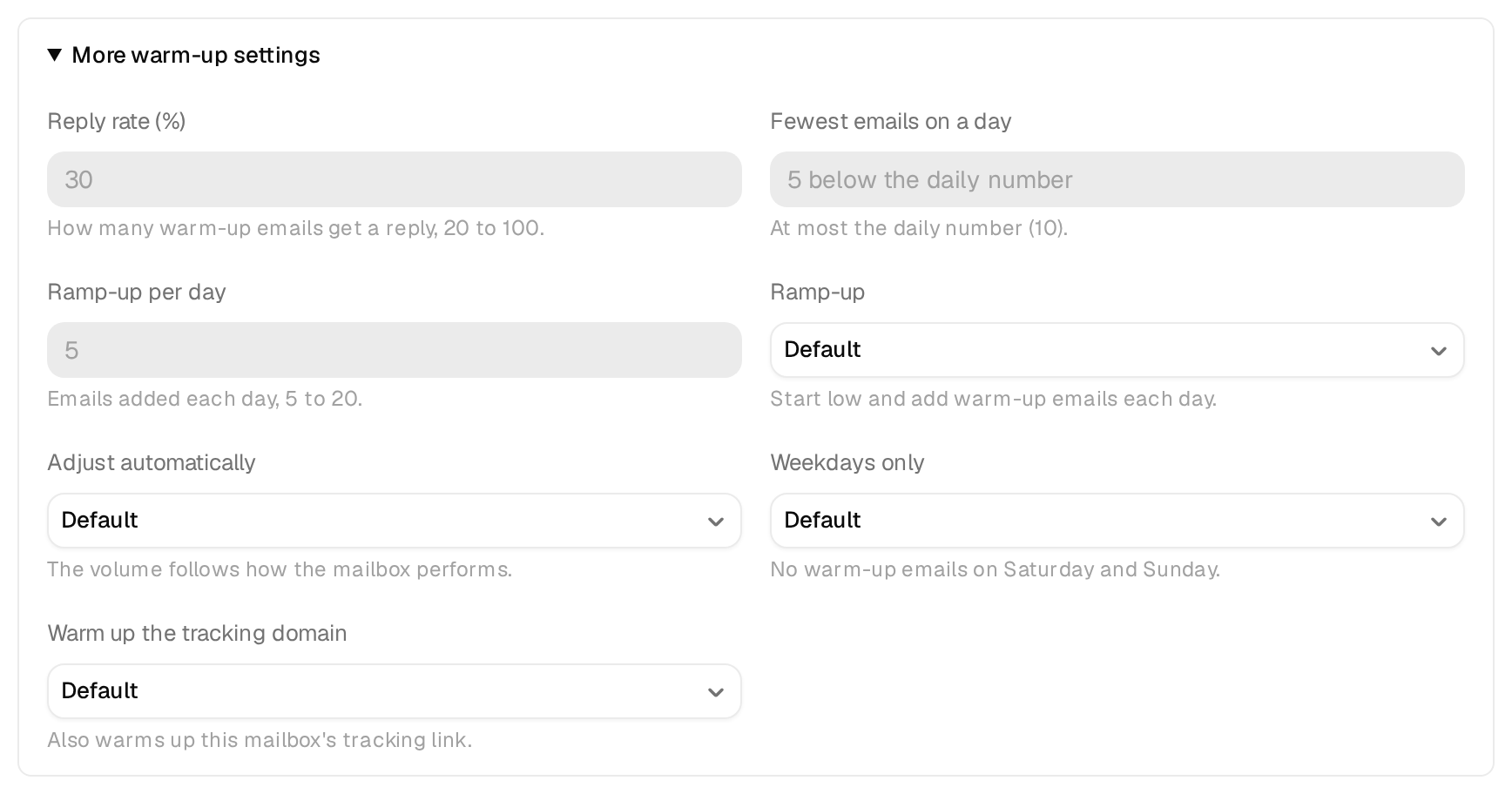
In Edit sender, open More warm-up settings. Every choice can stay on Default, which keeps the recommended behaviour. Change them only if you have a reason.
| Setting | What it does | Allowed |
|---|---|---|
| Reply rate (%) | How many warm-up emails get a reply. | 20 to 100 |
| Fewest emails on a day | The lowest number of warm-up emails on any day. | At most the daily number |
| Ramp-up per day | How many warm-up emails are added each day while it ramps up. | 5 to 20 |
| Ramp-up | Start low and add warm-up emails each day. | Default, On, Off |
| Adjust automatically | The volume follows how the mailbox performs. | Default, On, Off |
| Weekdays only | No warm-up emails on Saturday and Sunday. | Default, On, Off |
| Warm up the tracking domain | Also warms up the mailbox's tracking link. | Default, On, Off |
For many mailboxes, the bulk Edit has the same settings under Warm-up settings. They apply right away where warm-up is on, and are saved for the others until they switch on.
How to read the results
- The Status column shows Warming while it runs, Warming · 2 in spam when some warm-up emails landed in spam, and Paused when it is off.
- The Reputation column shows a percentage. Green is 90% or more, yellow 70% to 89%, red below that.
- Edit sender shows a line such as 240 warm-up emails sent · 0 in spam · reputation 97 with the time it was last updated.
Aging and warm-up
Mailboxes you buy rest for 24 hours after setup, shown as Aging. Warm-up never starts before that. Whatever you set during aging is saved and starts when aging ends. The dialog says so above the switch.
Good practice
- Switch warm-up on as soon as a new mailbox is connected, and give it time before real volume.
- Keep warm-up running while the mailbox sends campaigns. Switching it off later throws away the steady signal it gives.
- If in spam keeps rising or the reputation falls, lower Cold emails per day for that mailbox and let warm-up run.
- Warm-up emails never count against the cold email limit and never show in the Unibox.