
Every mailbox has its own limit of cold emails per day. Campaigns never send more from a mailbox than that, even when several campaigns share it. Keeping this number low is the single biggest thing you can do for deliverability: inbox providers trust mailboxes that send a few personal-looking emails a day, and grow suspicious of ones that suddenly send hundreds.
Where you see the limit
- The Sent column in Inboxes shows today's sends against the limit, for example 3/5.
- The summary at the top shows Ready to send with the sends left today across all healthy mailboxes.
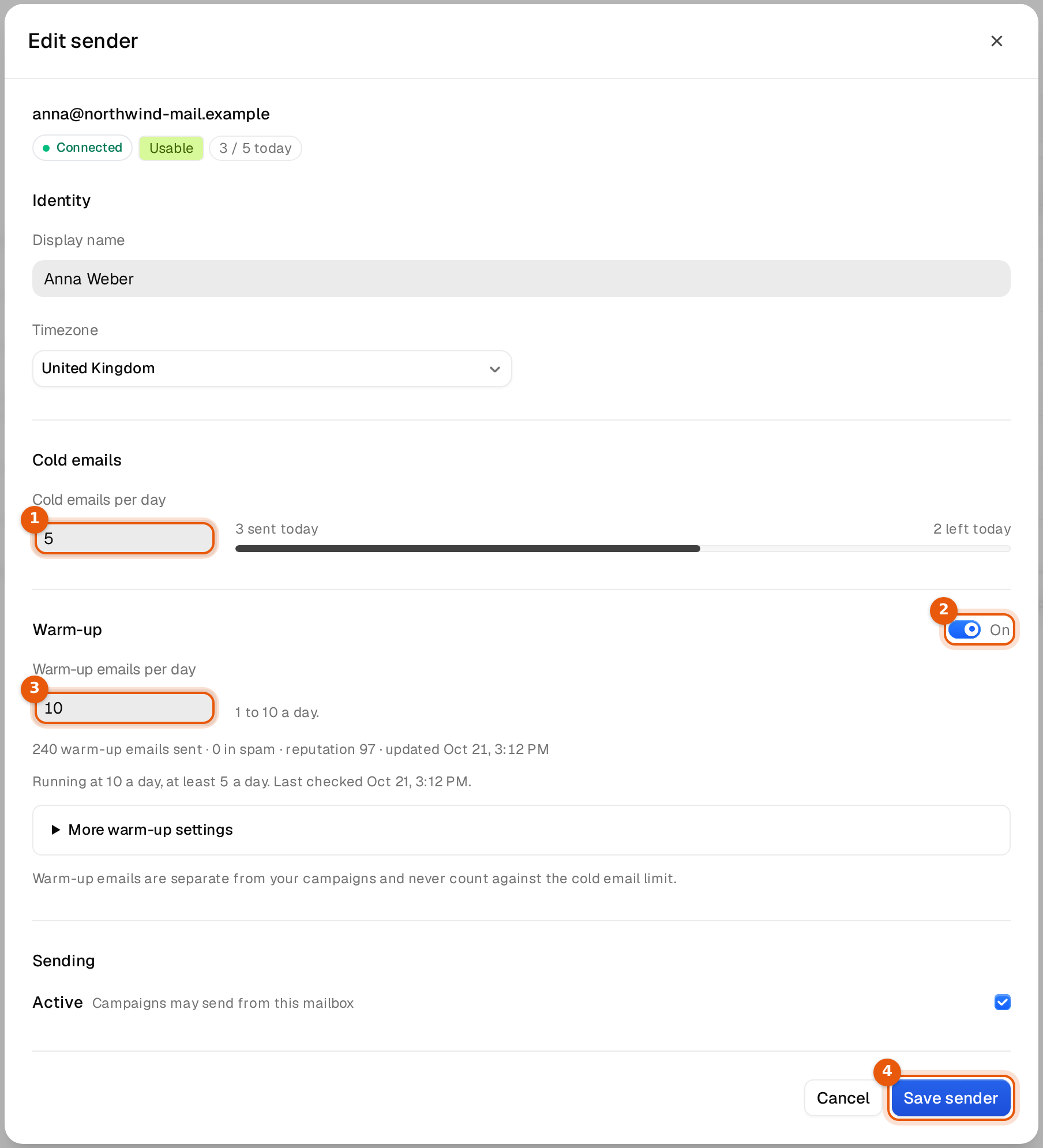
- Edit sender shows sent and left today with a bar under the field.
Change the limit of one mailbox
- In Inboxes, click the three dots at the end of the mailbox's row and choose Edit sender.
- Under Cold emails, type the new number in Cold emails per day. A whole number from 1 to 10,000 is accepted.
- Click Save sender. The new limit counts from now; what was sent today stays counted.
Change many at once
- Tick the mailboxes in the table. Use the filters first if you want, for example only one domain or one tag.
- In the bar at the bottom, click Edit.
- Type a number in Cold emails per day. Leave the other fields on Keep.
- Click Save. A notice confirms how many mailboxes changed.
Where each mailbox starts
| Mailbox | Starts at | Notes |
|---|---|---|
| Bought from us (DFY Microsoft accounts) | 5 a day | The order is sized on 5 a day per mailbox, a hard, safe limit. Sends start after the 24 hours of aging. |
| Microsoft 365, connected with Login | 5 a day | Raise it slowly once warm-up has run for a while. |
| Google Workspace | 40 a day | Lower it for new or cold mailboxes. |
| Any other provider (SMTP) | 25 a day | Or the daily_limit you put in the CSV file. |
Safe numbers
- Keep a new mailbox low for the first weeks and let warm-up run alongside.
- Raise the limit in small steps, and only while the reputation stays high and there are no spam hits in warm-up.
- To send more in total, add more mailboxes instead of pushing each one harder. Ten mailboxes at 5 a day reach the inbox far more often than one mailbox at 50.
- Warm-up emails are separate and never count against the cold email limit.
How the limits work together
Each campaign also has a Daily send limit across all its mailboxes, set on the campaign's Settings tab. Sends rotate across the attached mailboxes and every mailbox keeps its own limit, so the campaign sends whichever is lower: its own daily limit, or the sum of what its mailboxes have left today. See Schedule and sending settings.
Example: a campaign with a daily send limit of 100 and four mailboxes at 5 a day sends at most 20 emails a day. Add more mailboxes to use the campaign's limit.
Common mistakes
- Raising one mailbox to a high number because a campaign is slow. Add mailboxes instead.
- Expecting a bigger campaign limit to send more. If the mailboxes are at their limit, nothing more goes out.
- Forgetting paused or disabled mailboxes. They count zero toward today's capacity, see Mailbox statuses and what to do.