
The default signature is the one your whole workspace falls back to. Every mailbox without its own signature uses it, with its own name filled in. Set it once and new mailboxes sign correctly from the start.
Set the default signature
- Open Settings, then Mailboxes.
- Under Default signature, write the text. Use
{{first_name}}and{{last_name}}so each mailbox signs with its own name. - Leave Use only in replies on, unless you want the default in campaign emails too.
- Check the Preview and click Save default signature.
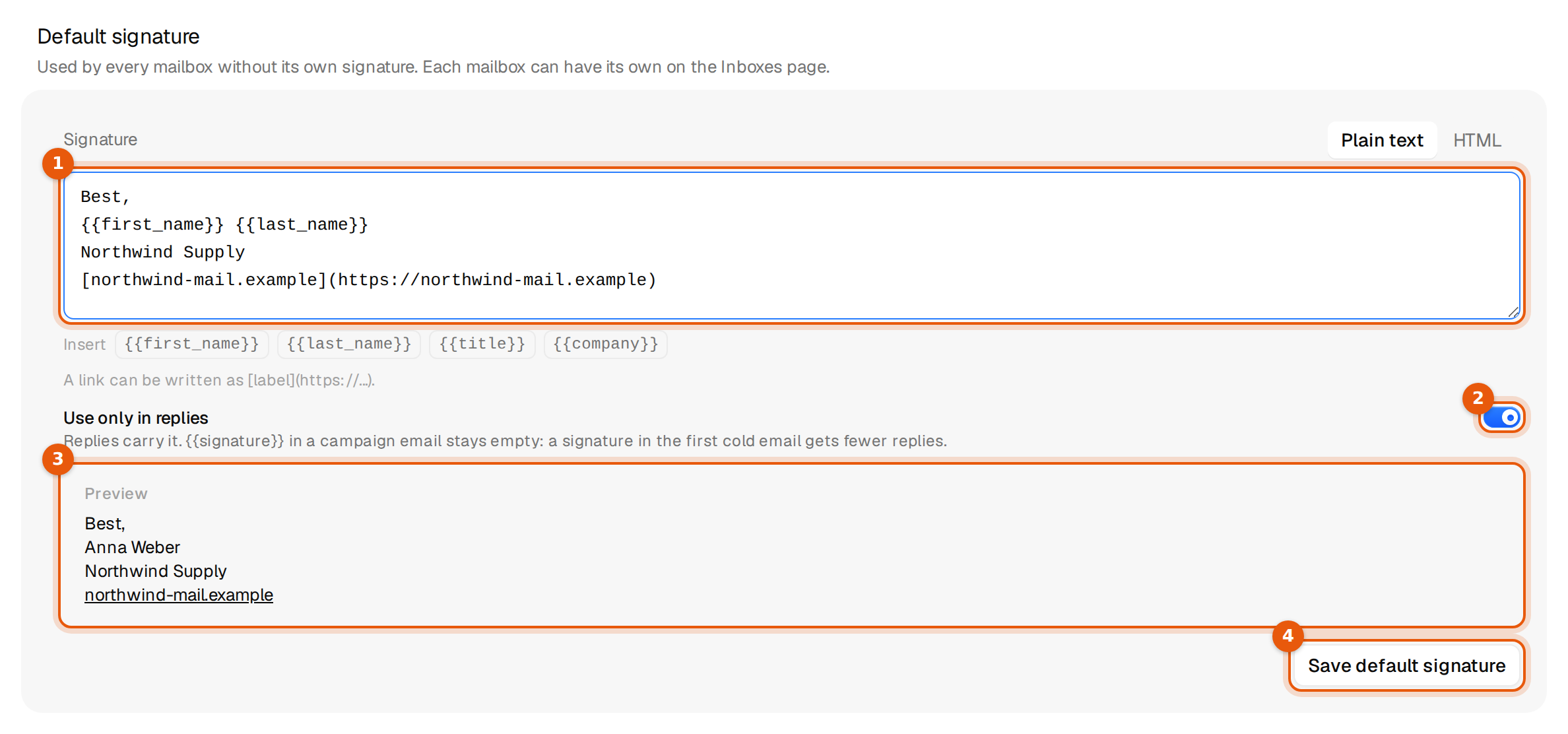
The default has no title or company fields of its own. Write a company name straight into the text if it is the same for everyone, as in the picture, or use {{title}} and {{company}}: each mailbox then fills in the values it has. To remove the default, click Remove next to the save button.
Which signature wins
A mailbox can get its signature from three places. The first one that has text is used.
| Order | Signature | Where it is set |
|---|---|---|
| 1 | The mailbox's own signature | Edit sender on the Mailboxes page, or the selection bar for many at once. |
| 2 | The agent's signature | On the AI agent that answers the replies of a campaign. Only campaigns with such an agent have one. |
| 3 | The workspace default | Settings, then Mailboxes. |
The name always comes from the mailbox that sends, whichever level supplies the text. A mailbox's own title and company are used even when the text comes from the default. So a common setup is one default text and a title per mailbox.
Edit sender shows which level a mailbox uses right now, for example The workspace default signature · used until you write one here. See Add a signature to a mailbox.
Agent signatures
Some campaigns have an AI agent that answers replies, offers times and books calls. Such an agent can carry its own signature, which sits between the mailbox and the workspace default. Our team sets it up together with the agent, so there is nothing for you to do.
- When the sending mailbox has its own signature, the agent's replies end with that one. Your mailbox signature always wins.
- Without a mailbox signature, the agent uses its own, then the workspace default.
- When none is set, the agent keeps its usual sign-off.
- An agent writes in the language of the person it answers. If your signature starts with an English closing such as Best,, a German reply gets a German closing instead, and the rest of your signature stays.
To change how an agent signs, give the mailbox its own signature, or write to us and we change the agent's.
The switch on each level
Use only in replies belongs to the signature that is used. If a mailbox uses the default, the default's switch decides whether {{signature}} fills in campaign emails. If the mailbox has its own text, its own switch decides.
Common mistakes
- A mailbox ignores the new default. It has a signature of its own. Remove it in Edit sender, or select many mailboxes and use Remove their own signatures.
- Everyone has the same title. The title was typed into the default text. Use
{{title}}and set titles per mailbox instead.