
If you send from many mailboxes, you do not have to open each one. Write one signature for all of them from the selection bar. Because the text uses variables, every mailbox still signs with its own name: Anna's mailbox signs as Anna, Ben's as Ben.
Set it
- Open Inboxes. Use the filters first if you want, for example only one domain or one tag.
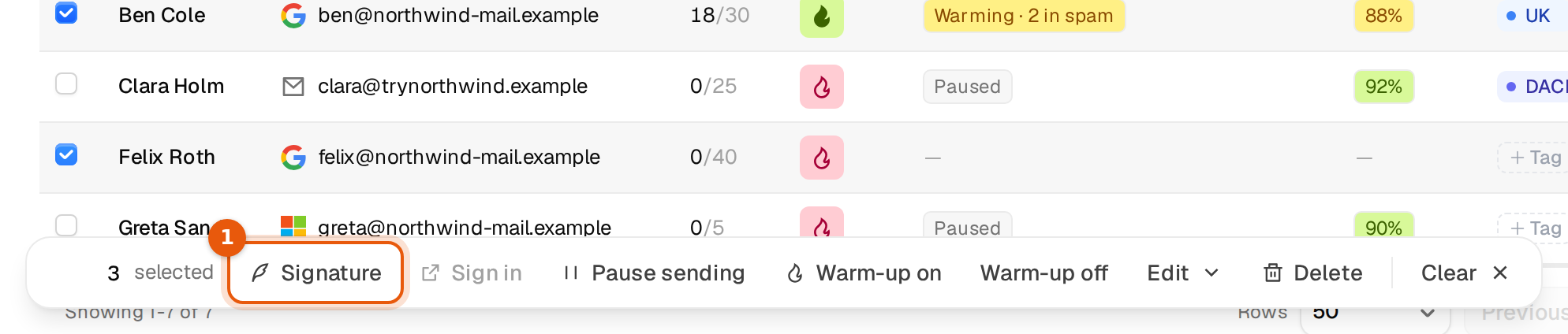
- Tick the mailboxes in the table. The bar at the bottom shows how many are selected.
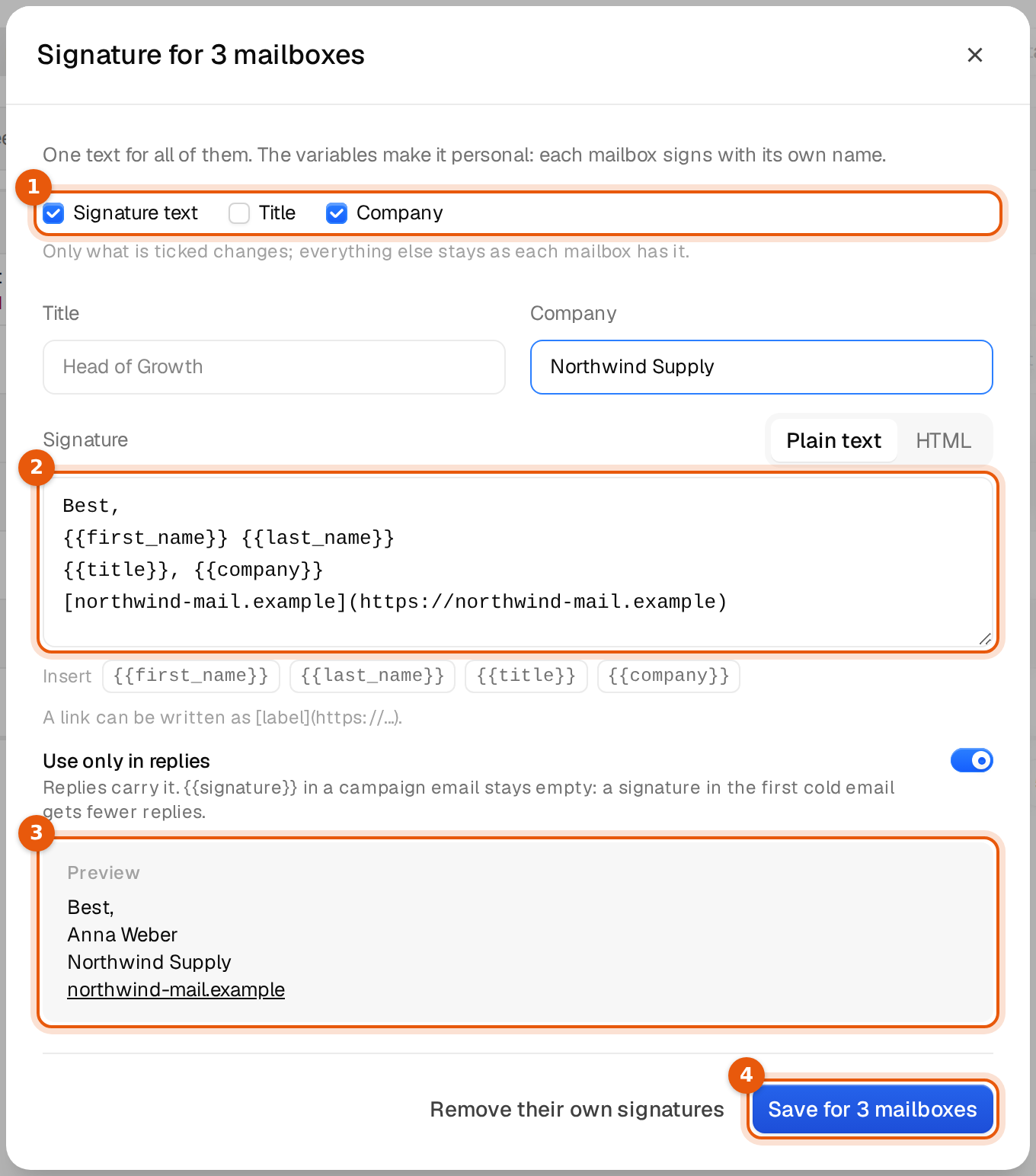
- Click Signature in that bar. The window Signature for 3 mailboxes opens, with your number.
- Choose what should change with the three boxes at the top: Signature text, Title and Company.
- Write the text, and fill in title or company if you ticked them. The preview shows the result for one mailbox.
- Click Save for 3 mailboxes. A notice such as Signature set on 3 mailboxes. confirms it.
Only what you tick changes
Everything you leave unticked stays as each mailbox has it. That lets you do different jobs in one window.
| You tick | What happens |
|---|---|
| Signature text | Every selected mailbox gets this text as its own signature. Their titles and companies stay. |
| Company | Every selected mailbox gets this company. Their own texts stay. Handy when all mailboxes belong to one brand. |
| Title | Every selected mailbox gets this title. Use it when the same role fits all of them, otherwise set titles one by one in Edit sender. |
| Signature text and Company | Both change. A common first setup for a new set of mailboxes. |
The Use only in replies switch in this window is saved for every selected mailbox, whatever you tick. It is on by default.
Remove their own signatures
Remove their own signatures clears the text, title and company that the selected mailboxes have of their own. After that they use the default signature from Settings, if there is one. A notice such as Signature removed from 3 mailboxes. confirms it. This is the quick way back to one shared default.
A tip for many brands or domains
If your mailboxes belong to different brands, filter by one domain or tag, select all, set that brand's company, and repeat for the next. A single text with {{company}} then works for every brand.
Limits
- Up to 20,000 mailboxes in one save.
- Everything else works as for one mailbox. At most 2,000 characters, no spintax, and only
{{first_name}},{{last_name}},{{title}}and{{company}}. - Only the workspace owner and admins see the button working. For members it stays greyed out.
What happens next
Nothing is sent and no campaign changes. The new signature is used the next time one of these mailboxes sends a reply, or a campaign email that contains {{signature}} while Use only in replies is off. To check one mailbox, open its Edit sender: the Signature part shows the saved text.
Common mistakes
- Every mailbox signs with the same name. The name was typed into the text instead of
{{first_name}} {{last_name}}. Save again with the variables. - Titles were overwritten. Title was ticked with an empty field. Untick what you do not want to change.