
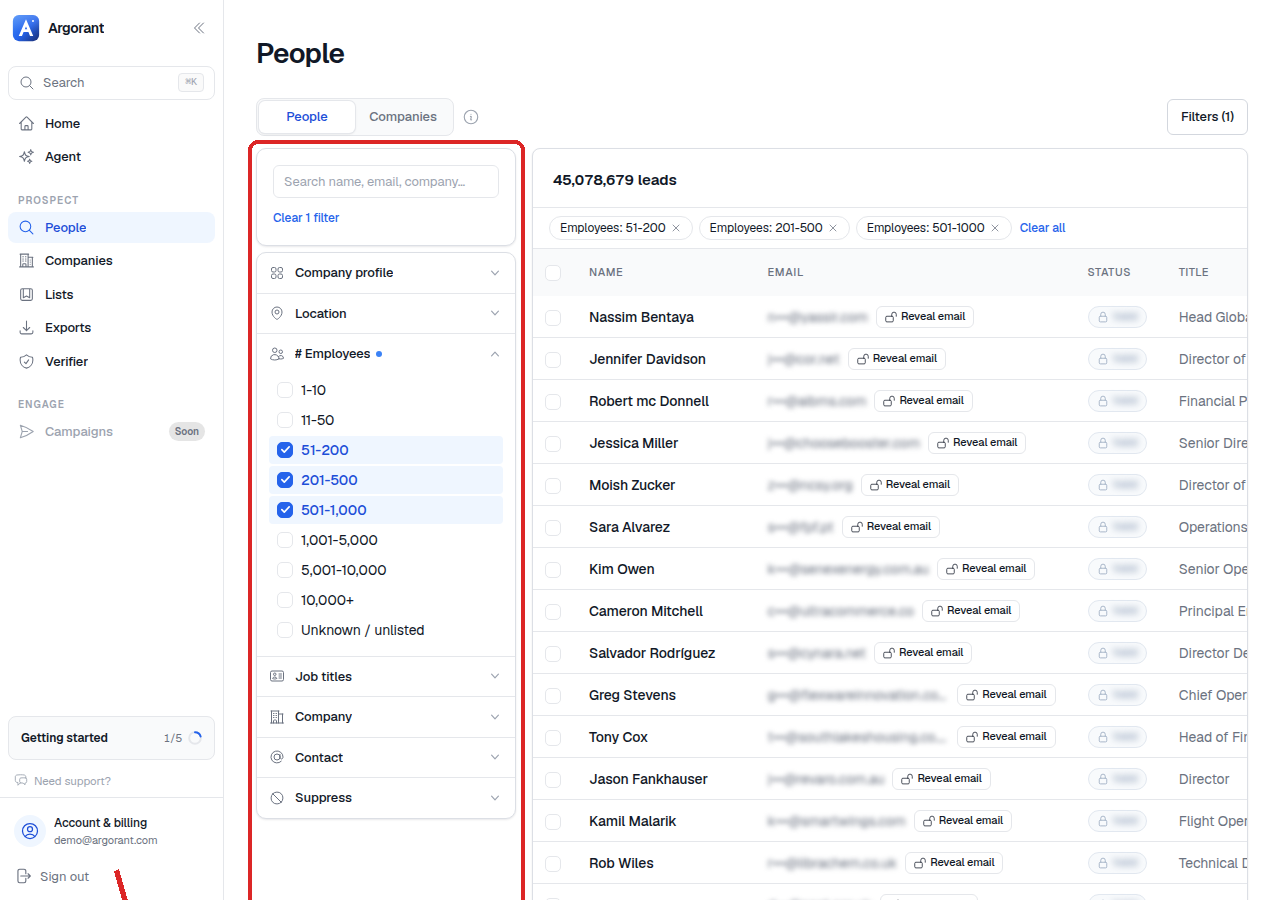
The company size filter works in employee bands, running from 1-10 employees up to 10,000+. You can select a single band or several adjacent ones to form a range.
- Open People search and expand the company size filter.
- Select the bands that match your ideal customer profile.
- Read the live count, then adjust one band at a time so you can see what each one contributes.
Size is the filter people most often set carelessly, and it does more damage than any other. A company with 8 employees and a company with 800 employees have different buyers, different budgets, different buying cycles and need different messaging. Selecting everything from 1-10 to 10,000+ produces a big count and a campaign that speaks to nobody.
A better approach is to pick the narrowest band range where a single message stays true, build that list, and then build a second list for the next range with its own copy. Two focused campaigns almost always beat one wide one, and your credits go further because you are not paying to reveal contacts you would never mail properly.
Size also interacts with seniority: for the smallest bands, owner-level targeting is usually the correct default, while the largest bands call for director and VP.