
Launch stays grey until a campaign can really send. Argorant checks this for you so a campaign never starts half ready, with no mailbox, no people or a placeholder still in the text. The page always tells you what is missing. This article lists every reason in the words you see, and how to fix each.
Where to look
- The line under the campaign name. For the basics it reads, for example, Before launch, add a sender and leads. Each part is a link to the tab where you fix it.
- Boxes above the tabs. Text that would go out as written, and contacts without a value for a variable, each get a box with buttons.
- The Launch button itself. Hold the mouse over the grey button to see the full list of reasons.

The basics: emails, senders, leads
| What you see | What it means | What to do |
|---|---|---|
| add an email, or add at least one complete plain-text sequence step | No email has both a subject and a body yet. | Write email 1 on the Emails tab and click Save. |
| add a sender, or attach at least one active inbox with daily capacity | No mailbox on the campaign can send today. It is missing, disconnected, switched off, not healthy, or it already reached today's limit. | Add a mailbox on the Senders tab. If one is there, open Inboxes and check that it is connected. If it only reached its limit, launch tomorrow or add another mailbox. |
| add leads, or import at least one lead | Nobody in the campaign is waiting to start. Either there are no leads, or everyone already finished, replied or was stopped. | Add people on the Leads tab. |
Text that would go out as written
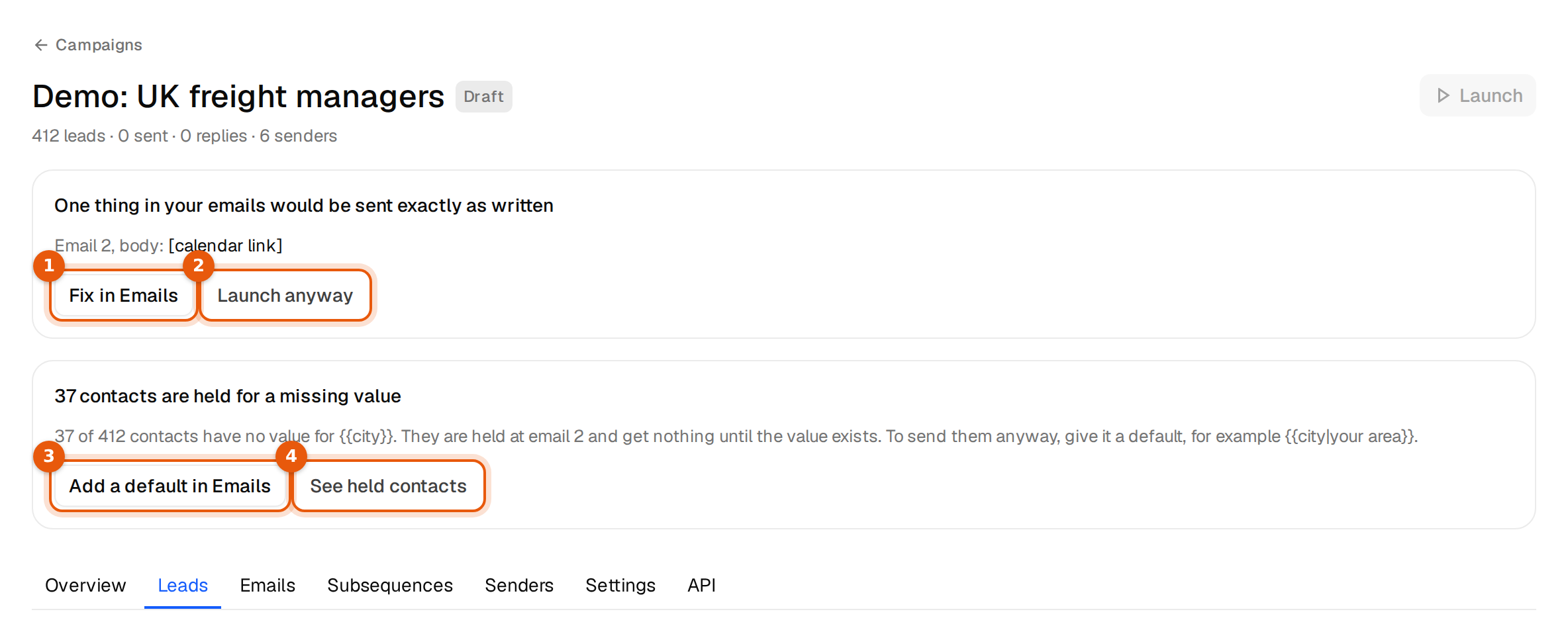
Before launch, Argorant reads your emails for things a person would never send, such as [calendar link], [Name], TBD, a variable written with one brace, or a variable none of your contacts has. A box appears above the tabs:
| What you see | What to do |
|---|---|
| Email 2, body: "[calendar link]" is a placeholder and would be sent as written. Replace it with the real text. | Click Fix in Emails and replace it with the real link or text. |
| {{pain_point}} is not a field your contacts have, so it would be sent empty. | Remove the variable, or add leads with that column. See Use your own CSV columns. |
| ... would be sent with its braces. | Use {{first_name}} for a variable or {option one|option two} for spintax. |
| an opening or closing brace has no partner | Find the brace on its own and remove or close it. |
If the bracket is on purpose, for example a product called [beta], and it is the only thing holding the launch, the box offers Launch anyway. Argorant asks once more and then sends the text exactly as written.
Contacts without a value
If a variable has no value for some contacts, those contacts are held at that email. That alone does not block the launch. It blocks only when nobody has a value:
No contact has a value for {{city}} (email 2), so every contact would be held there. Remove it or give it a default, for example {{city|your area}}.
Click Add a default in Emails and write the variable with a fallback. The same applies to sender variables such as {{sender_first_name}}: if none of your mailboxes has a full display name, you see Every sender lacks the display name {{sender_first_name}} needs. Set the names in Senders. See Fallbacks.
New mailboxes that are still resting
Mailboxes you order through Argorant rest for a short time after setup before they send. If every mailbox of the campaign is still resting, the page says You can launch when aging completes, with the time left and a See progress link. Wait, then launch. Mailboxes you connect yourself do not have this rest.
Your plan
| What you see | What to do |
|---|---|
| confirm your email address to start the 14-day trial | Enter the code from the email we sent you. |
| your 14-day trial ended on ...; pick a plan to keep sending | Pick a plan in Settings, then Plans and usage. |
| the trial's 300 campaign emails are used up | Pick a plan to keep sending. |
| this month's campaign email allowance is used up | Sending resumes on the date shown, or right after an upgrade. |
| your plan ended; pick a plan to keep sending | Choose a plan. |
Still grey?
- Reload the page after fixing something on another tab. The checks run again each time the campaign loads.
- A campaign that is Completed has no Launch button. Start a new campaign instead.
- Still stuck? Write to support@argorant.com with the campaign name.