
A follow-up reads best as a reply to your first email. The contact sees one short conversation with your earlier message right under it, instead of a second cold email from a stranger. That is why every follow-up is sent in the same thread unless you say otherwise.
How it works
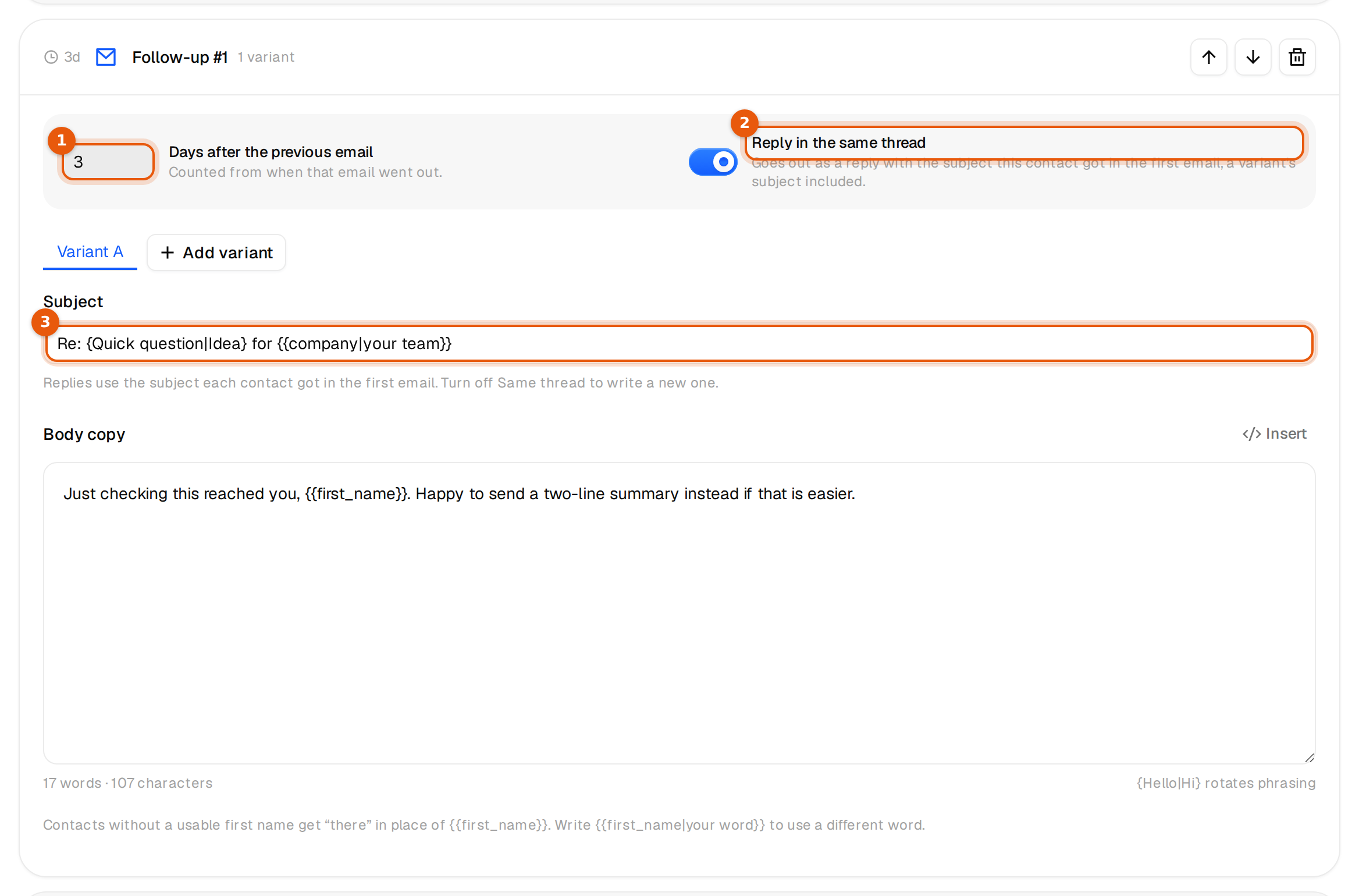
- Reply in the same thread is on by default for every follow-up you add.
- The follow-up goes out as a reply to the first email that contact received, from the same campaign, so it lands under it in their inbox.
- The subject is Re: plus the exact subject that contact got. If your first subject used variables, spintax or a variant, the follow-up continues that contact's own version.
- Nobody gets Re: Re:. A first subject that already starts with Re: is not doubled.
- While the switch is on, the subject field is read-only. It shows Re: and your first subject with its variables and spintax, as a reminder that each person sees their own version.
Example: the first subject is {Quick question|Idea} for {{company|your team}}. Anna got Idea for Northwind Supply GmbH, Tom got Quick question for Kestrel Logistics Ltd. Three days later Anna gets Re: Idea for Northwind Supply GmbH and Tom gets Re: Quick question for Kestrel Logistics Ltd, each under their own first email.
Set it up
- Open the campaign's Emails tab and click Add follow-up, or click an existing follow-up card.
- Set Days after the previous email, from 1 to 60.
- Leave Reply in the same thread on. The text next to it reads Goes out as a reply with the subject this contact got in the first email, a variant's subject included.
- Write a short body. You do not need to repeat the first email. It is right below in the thread.
- Click Save.
Start a new thread instead
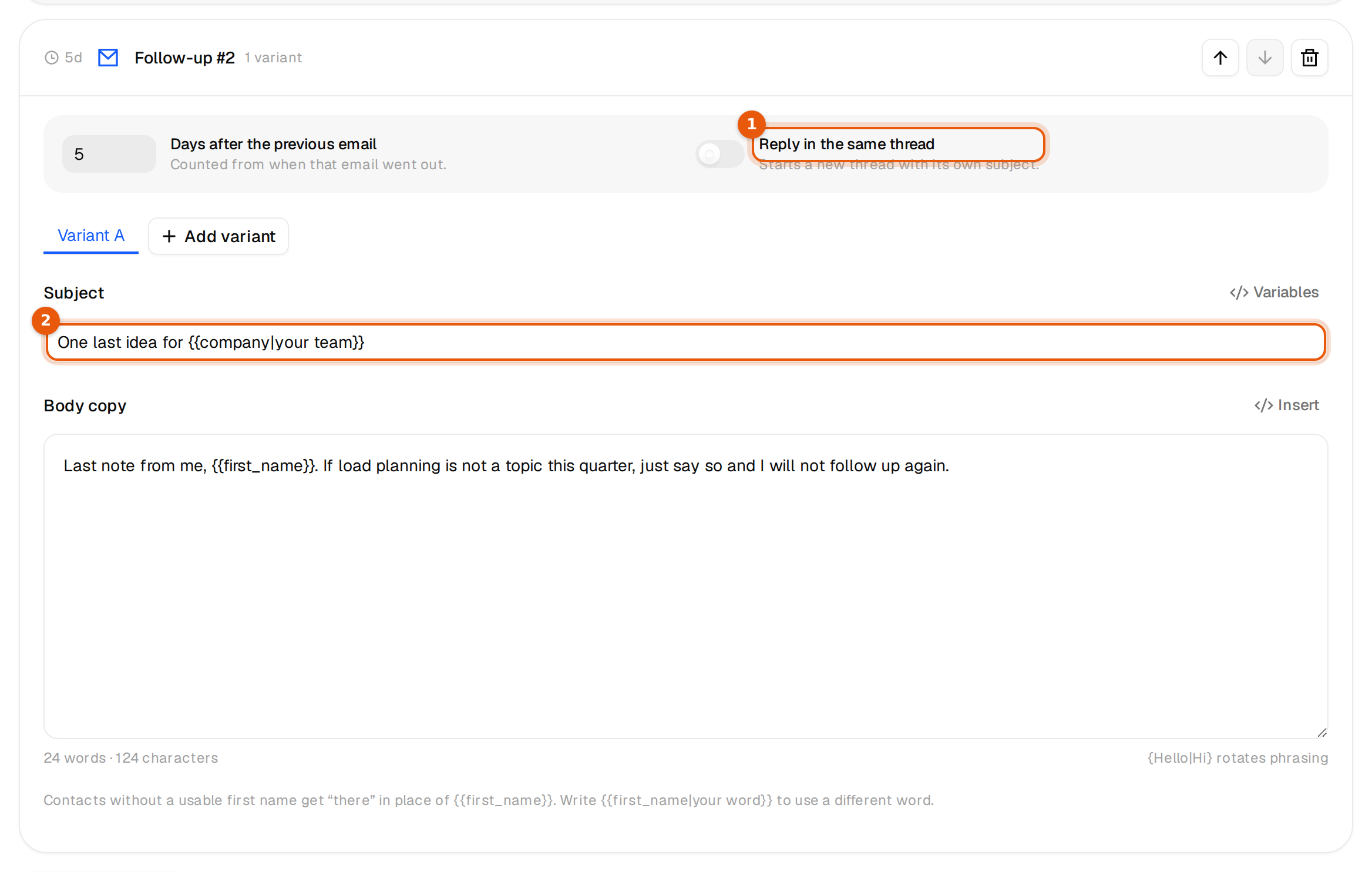
Turn Reply in the same thread off on that follow-up. The text changes to Starts a new thread with its own subject. and the subject field opens. Write a new subject, then save. A follow-up in a new thread needs a subject before you can save.
| Situation | Same thread | New thread |
|---|---|---|
| A short nudge two to five days later | Best choice | |
| Adding one useful detail or a case | Best choice | |
| A break-up email after a long pause | Works | Often better |
| A completely new angle or offer | Better |
Things to know
- The wait counts from when the previous email actually went out, inside your sending hours.
- Each follow-up has its own switch. You can mix: follow-up 1 in the thread, follow-up 2 as a new thread.
- Moving emails with the arrows keeps each switch as it was. The first email of the sequence is never a reply.
- When someone replies, Stop on reply in Settings ends their follow-ups. See What happens when someone replies.
Replies to your follow-ups
Subsequences, which start when a reply contains a keyword you choose, continue the subject of the contact's reply with Re: {{thread_subject}}. See Subsequences.