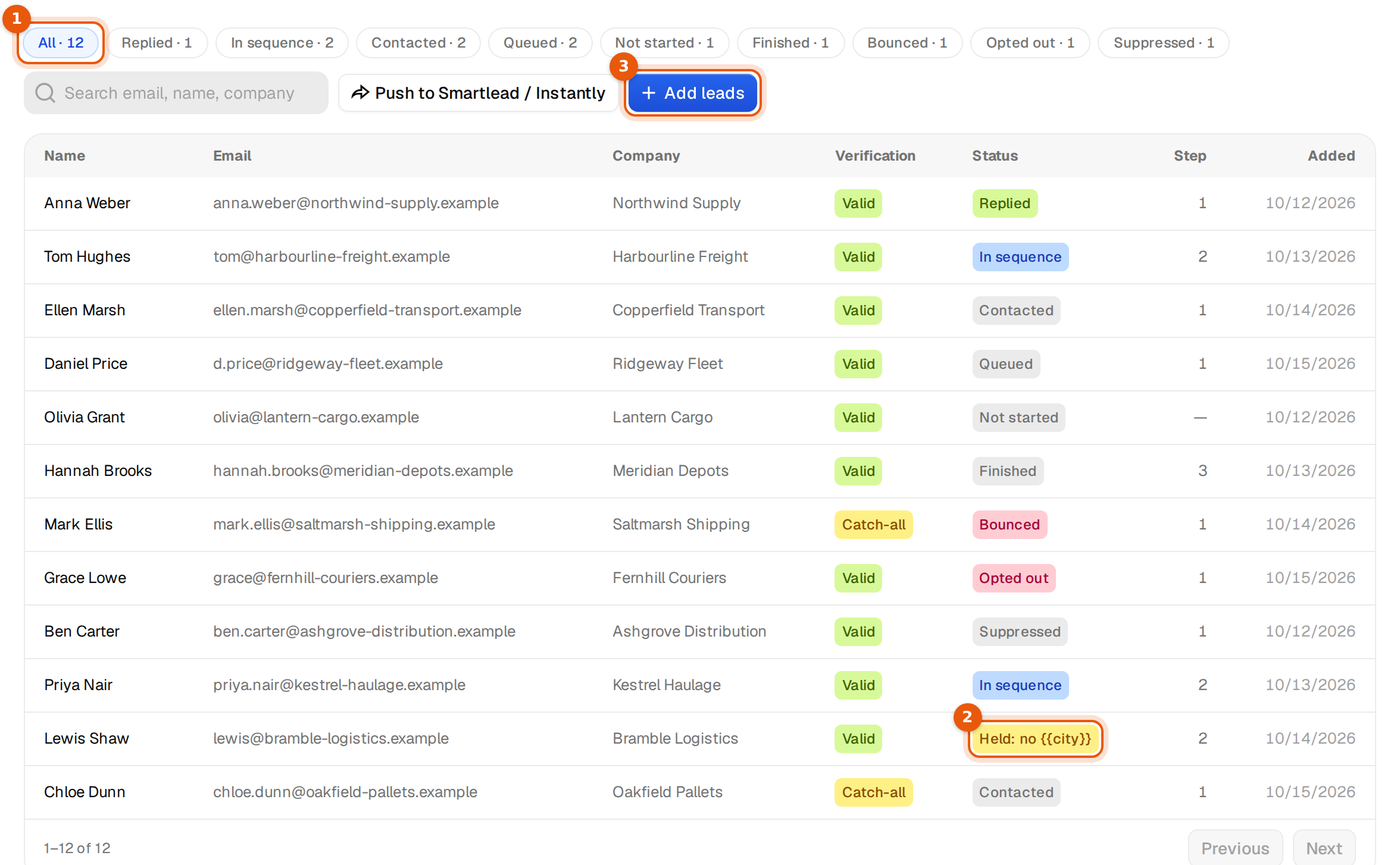
When a contact answers, Argorant reads the reply, decides what it means for that person's emails, and puts it in your Unibox. Almost all of this happens by itself. The one choice you make is the Stop on reply setting.
What each kind of reply does
| The reply | What happens to that person | Status on the Leads tab |
|---|---|---|
| A normal reply, Stop on reply on | No more emails from this campaign. Other campaigns in your workspace stop writing to them too. | Replied |
| A reply with a subsequence keyword | They leave the main sequence and get that subsequence, in the same thread, from the same mailbox. | Replied |
| A normal reply, Stop on reply off | The reply is recorded and shows in the Unibox, but the sequence carries on. | Unchanged, for example In sequence |
| Out of office or another automatic reply | Not counted as a reply. The next email moves to after they are back. | Unchanged |
| A request to stop, such as remove me or unsubscribe | Stopped at once and never contacted again from any campaign in your workspace. | Opted out |
| A bounce message from a mail server | No more emails to that address. | Bounced |
Change Stop on reply
- Open the campaign and click the Settings tab.
- Tick or untick Stop on reply. The line under it reads A reply ends that person's emails. Replies with a subsequence keyword start that subsequence instead.
- Click Save settings. You see Settings saved.

The change applies to replies that arrive from then on. People who already replied stay stopped.
When to switch it off
Leave it on for cold outreach. Someone who wrote back expects a person to answer, not the next follow-up. Turning it off makes sense in a few cases only:
- A newsletter-style sequence where replies are mostly thank-you notes and every contact should get every email.
- A sequence where you answer replies by hand in the Unibox and still want the later emails to go out to people who only asked a small question.
If you only want some replies to get different emails, keep Stop on reply on and add a subsequence instead. See Subsequences.
Out of office and other automatic replies
An automatic reply never counts as a reply and never stops anyone. Argorant looks for a return date in the message, in English, German, French and Dutch. If it finds one, the next email goes out on the next working day after that date. If there is no date, the next email waits 10 days. There is no setting for this.
Example: Tom's auto-reply says he is back on 14 November. His next follow-up goes out on the next working day after the 14th, inside your normal sending hours.
Automatic replies still show in the Unibox and in Analytics, as OOO / auto. They never raise your reply rate.
Requests to stop
Replies like remove me, please unsubscribe, opt out or stop emailing stop that person at once. They are marked Opted out and are not contacted again from any campaign in your workspace, even if you add them to a new list later. A request to stop never starts a subsequence, even if it also contains one of your keywords.
Argorant does not add an unsubscribe link to your emails. A one-to-one email with a footer reads like a mass mailing. Opt-outs are taken from the reply itself.
Bounces
When a mail server reports that an address does not exist, the person is marked Bounced and gets no more emails. A later bounce never stops someone who already replied. To pause the whole campaign when too many addresses bounce, use Bounce protection.
Common mistakes
- Follow-ups still went out after a reply. Check that Stop on reply is ticked and saved. If it is, look at the reply in the Unibox. An automatic reply does not stop the sequence.
- Someone wrote back from a different address. A colleague or a private address is a new person to Argorant. Add the original address to your block list if they should not get more emails.
- A person was stopped in a campaign they never answered. A reply or an opt-out in one campaign stops them in every campaign of your workspace. Their status there is Suppressed.
Where replies go
Every reply lands in the Unibox, labelled for you, for example Interested, Meeting request or Out of office. Answer from there and your answer stays in the same thread.